The Productivity Solutions Grant (PSG) has moved. Pre-approved solutions like Exabloom are now applied for under EDGE - Digitalisation (With Pre-approved Vendors), administered by Enterprise Singapore on the new Business Grants Portal (BGP 2.0).
Most of the form will feel familiar if you have applied for PSG before. The big change is that you now create your package on SMEs Go Digital first, get a Package ID, and then use that ID to apply on the Business Grants Portal. This guide walks you through both parts, step by step.
What changed from the old PSG application
- You start on SMEs Go Digital, not the Business Grants Portal. You create your Exabloom package there first.
- You enter a Package ID instead of searching for the vendor. The form pulls in your package details from that ID.
- The grant has a new name on the portal: EDGE - Digitalisation (With Pre-approved Vendors).
- There are a few new sections: Supportability Check, Annual Cost Savings, Workforce Transformation, and Letter of Offer Addressee.
Before you start
Have these ready:
- Your Exabloom quotation. Your Exabloom sales representative sends this to you. You will upload it in Part 2, and the package you pick in Part 1 must match it.
- Corppass access that can submit. You log in to both portals with Corppass. To submit the application, your account needs the BGP Acceptor role (a Preparer can fill in the form but cannot submit). If you are not sure, see How to change your Corppass role from Preparer to Acceptor.
- Your company details. Total employee size, ACRA registered address, and the name, job title and email of your CEO or Managing Director as registered with ACRA.
Do not pay or start using the solution before you submit. One of the eligibility criteria is that you have not started work or made any payment or deposit to the vendor before the application is submitted.
Part 1: Create your package on SMEs Go Digital
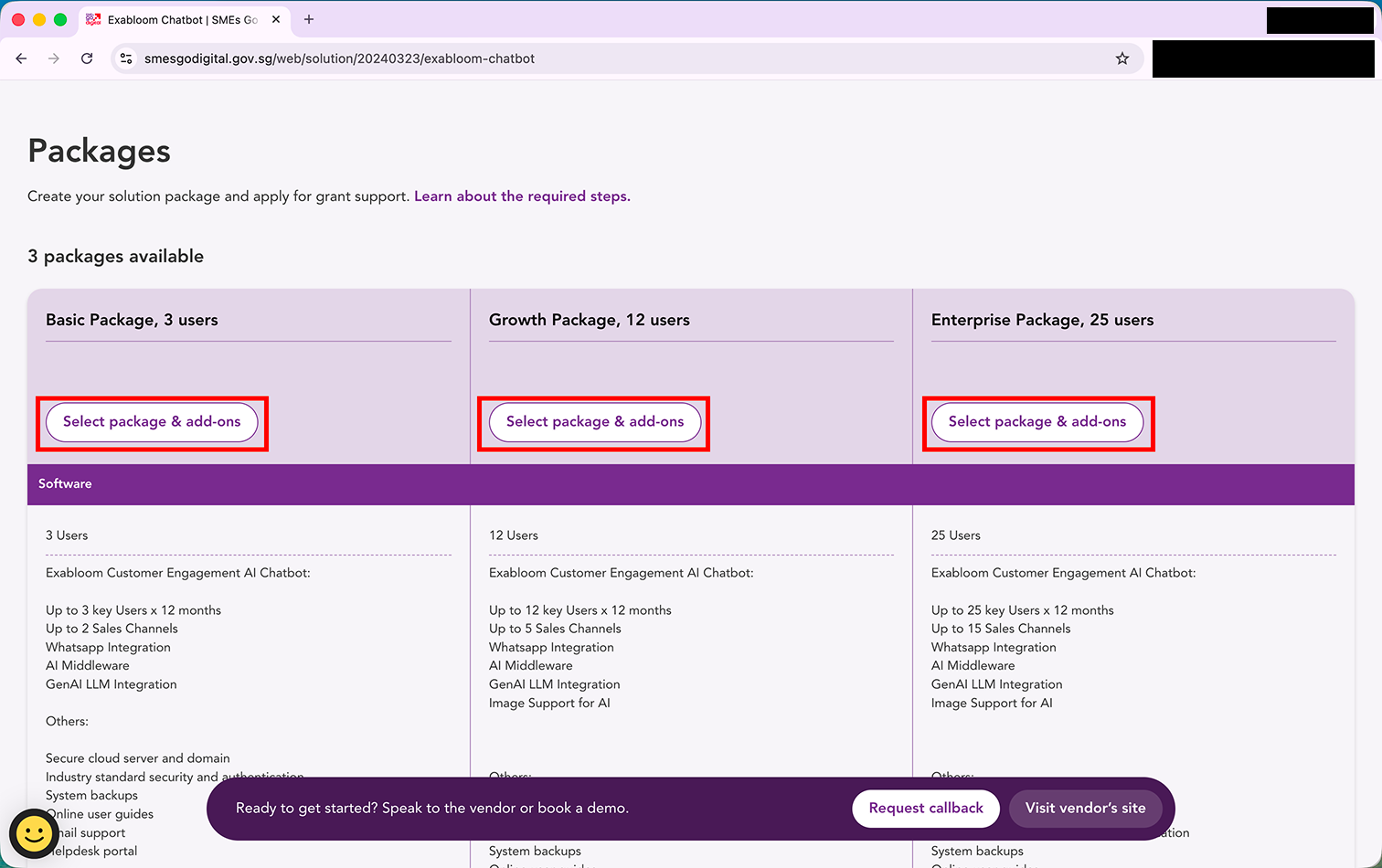
Step 1: Go to the Exabloom Chatbot listing on SMEs Go Digital: https://www.smesgodigital.gov.sg/web/solution/20240323/exabloom-chatbot
Find the package that matches the title on your Exabloom quotation (Basic, Growth or Enterprise) and click "Select package & add-ons" under it.
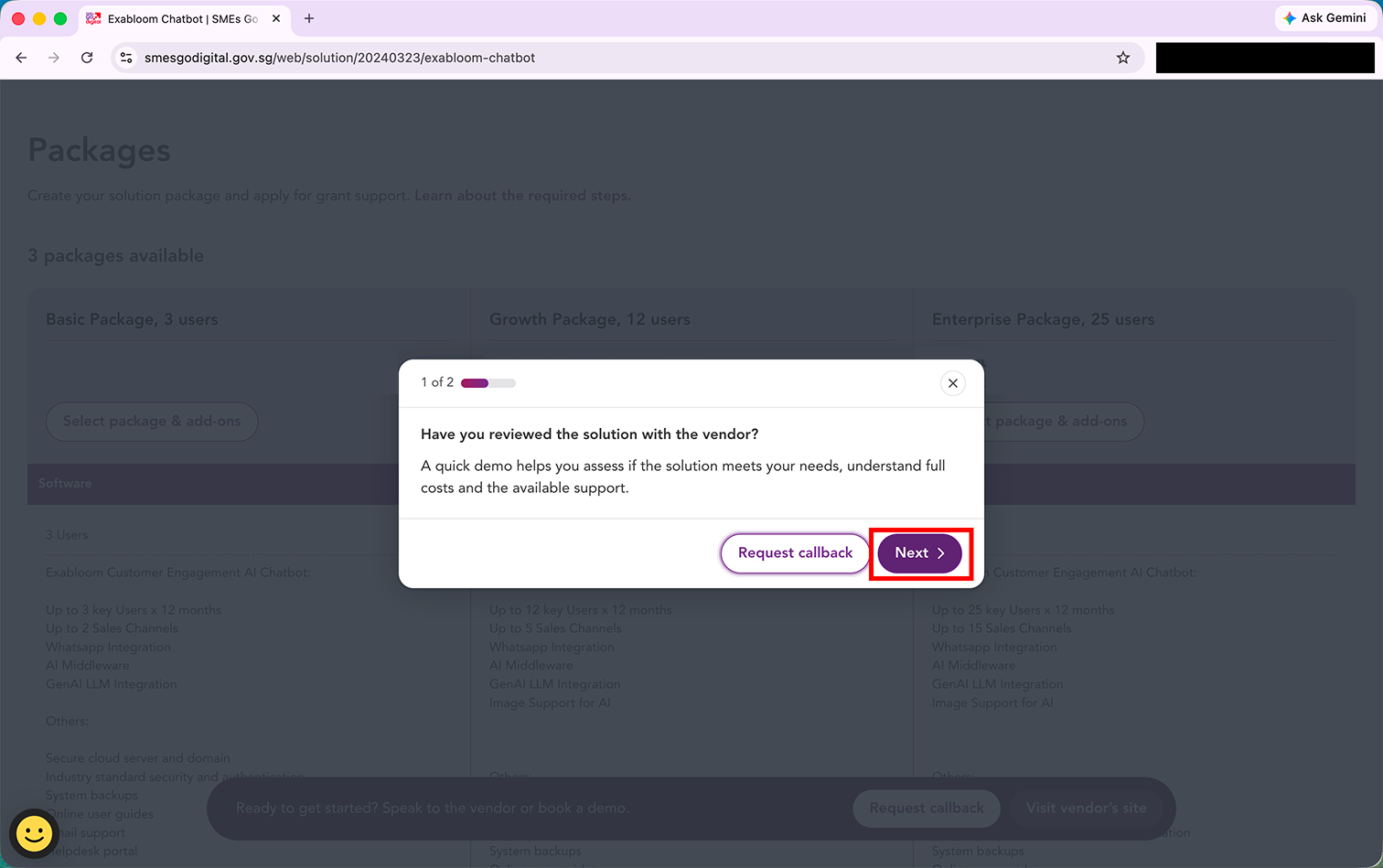
Step 2: A pop-up asks if you have reviewed the solution with the vendor. Click "Next".
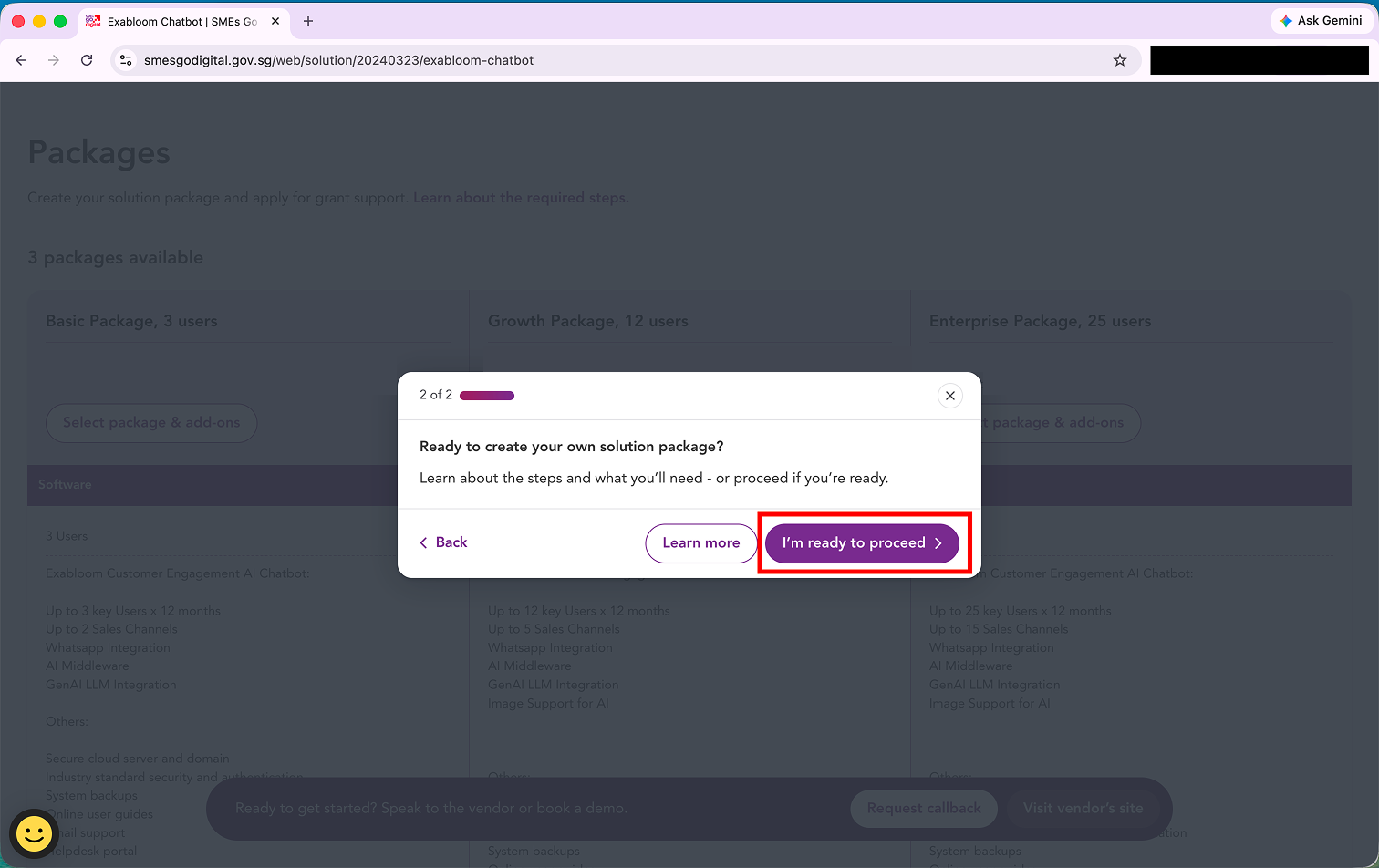
Step 3: Click "I'm ready to proceed".
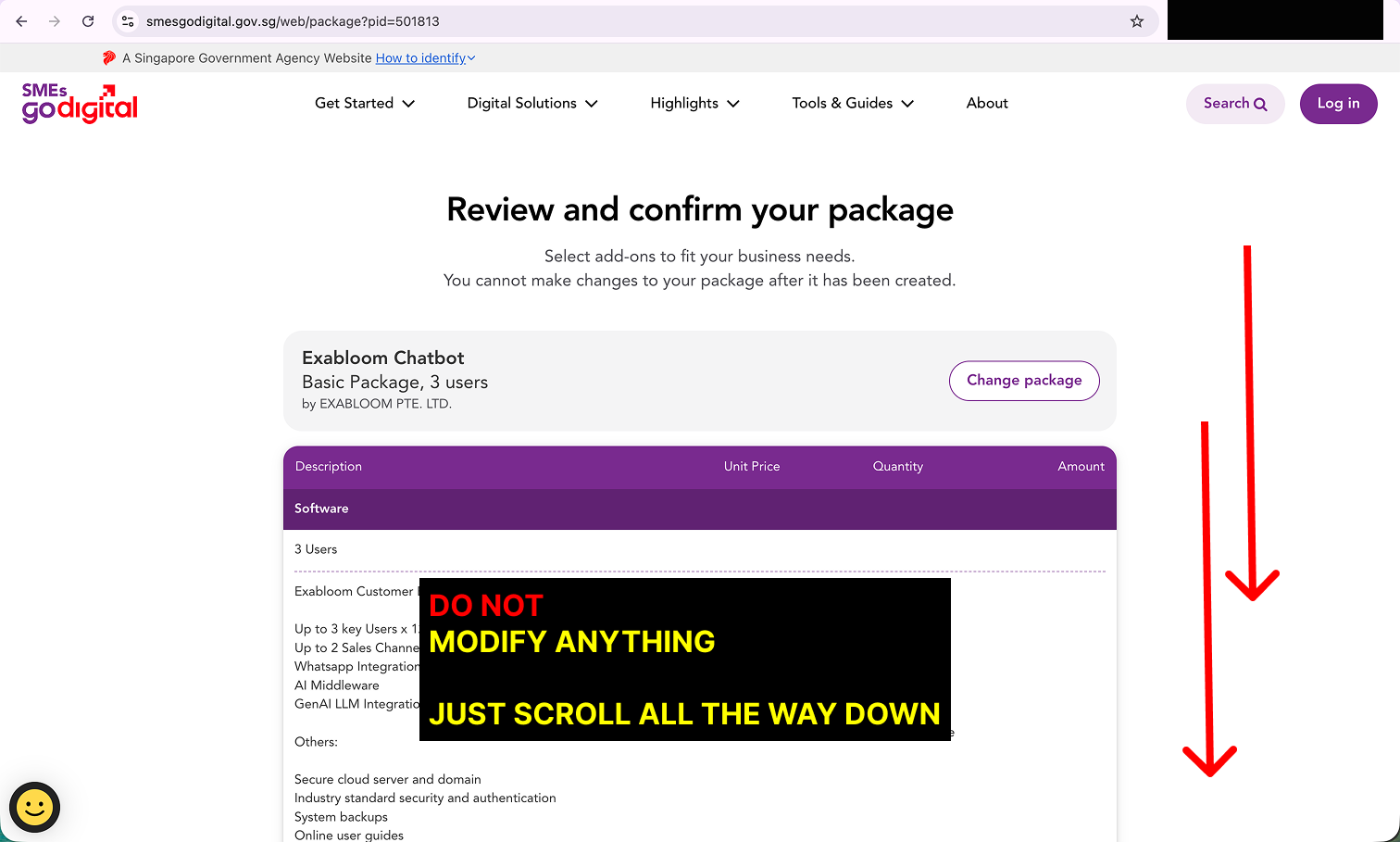
Step 4: You are now on Review and confirm your package. Do not change anything - do not add add-ons or change the package. Your package must match your Exabloom quotation exactly, and it cannot be changed once created. Just scroll all the way down.
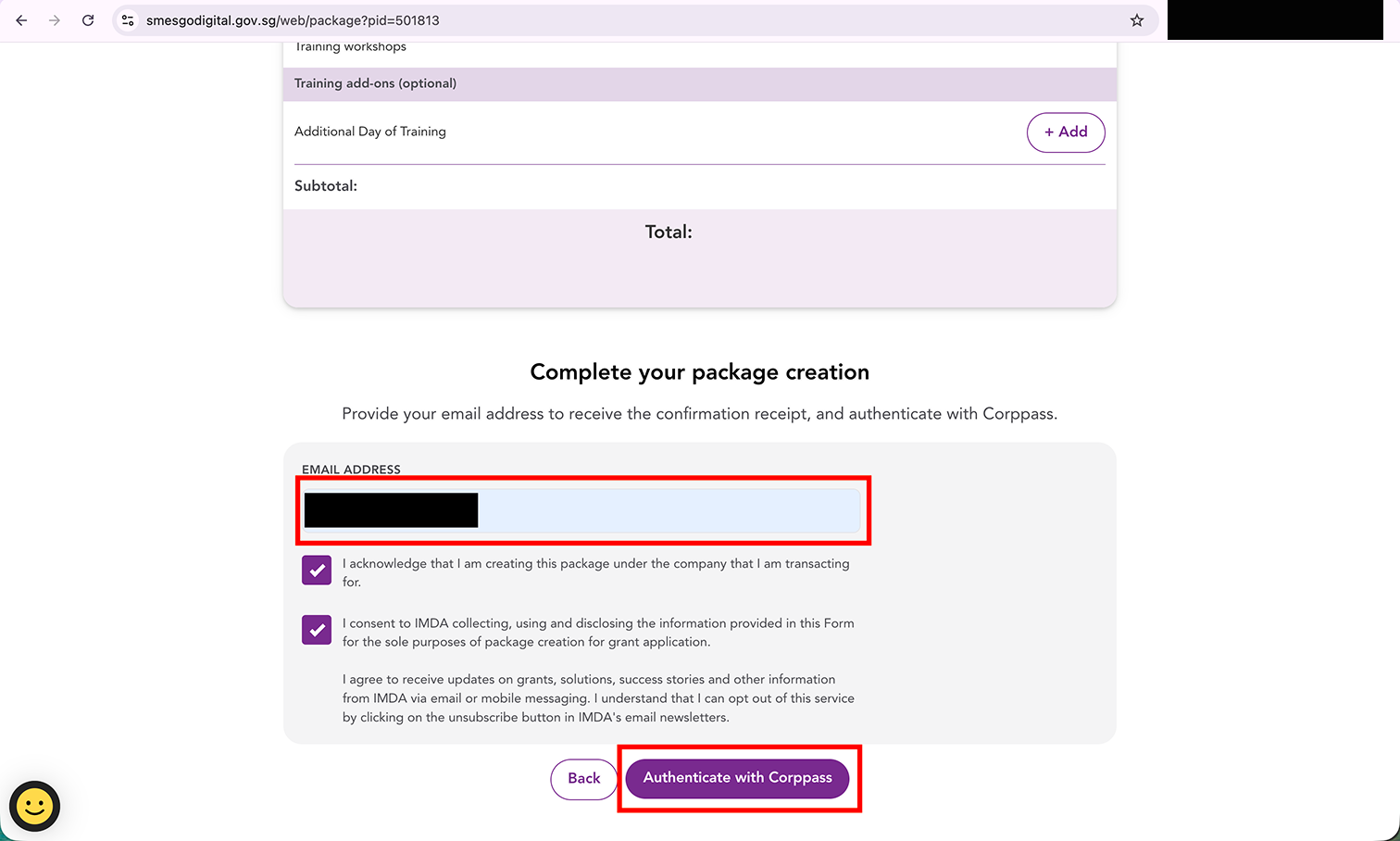
Step 5: Under Complete your package creation, enter your email address, tick both boxes, and click "Authenticate with Corppass". Log in with your Corppass when prompted.
Step 6: Your package is created. Take note of your Package ID - you will need it in Part 2. Click "Skip to My Dashboard".
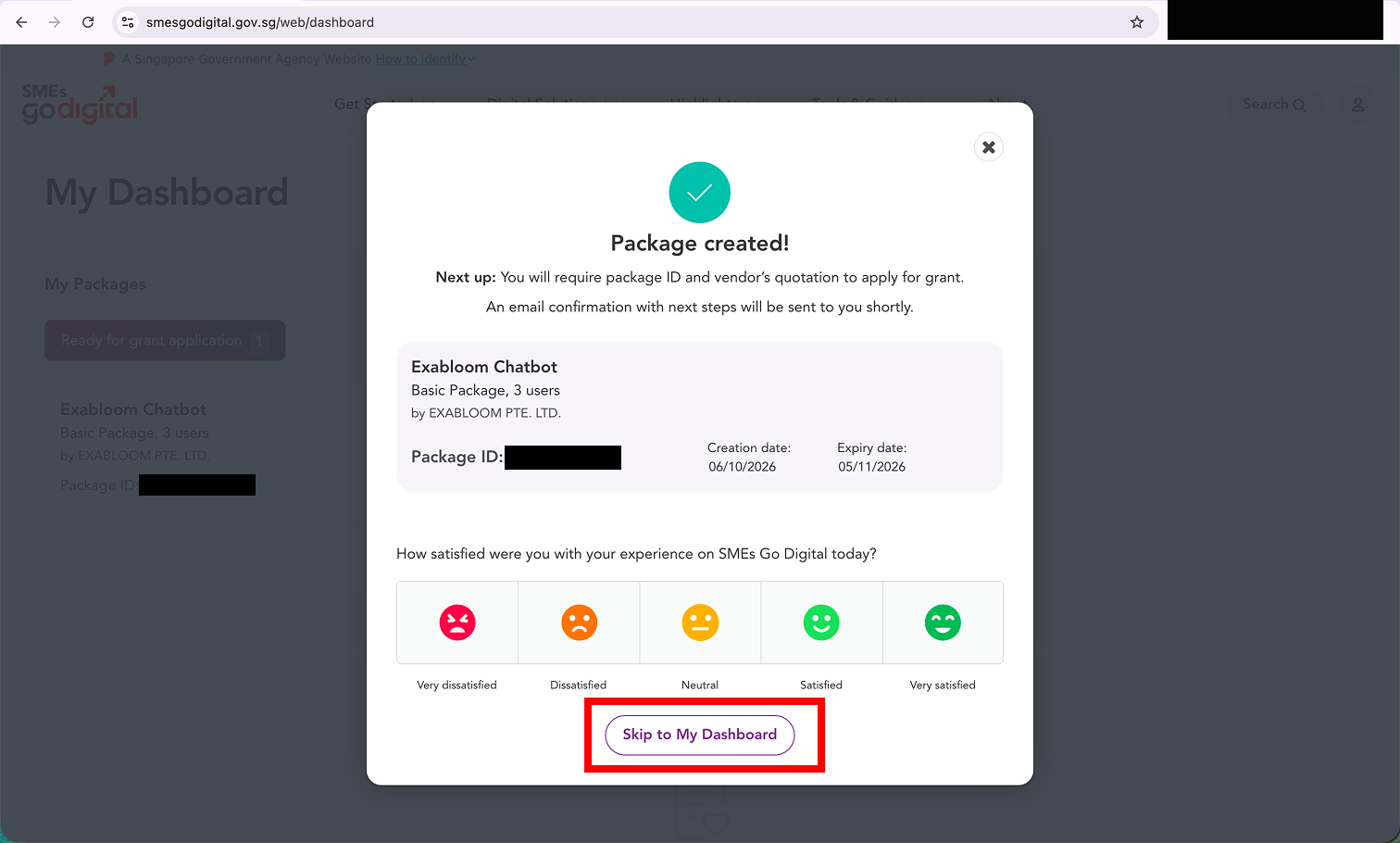
Your Package ID expires 30 days after it is created. The expiry date is shown next to the Package ID. Submit your application on the Business Grants Portal before then, or you will need to create a new package.
Lost your Package ID? You can find it in two places:
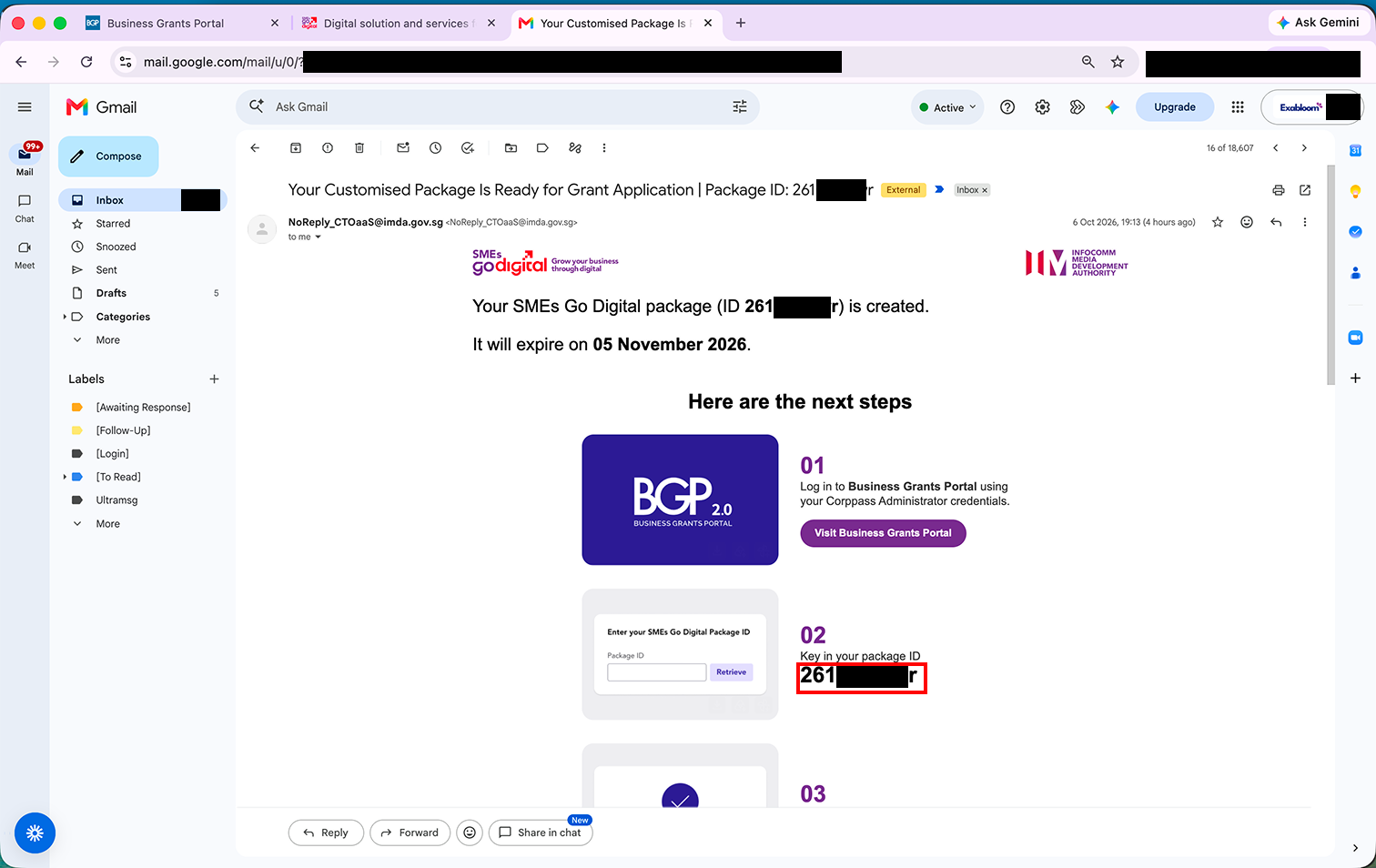
- In your email. SMEs Go Digital sends an email titled "Your Customised Package Is Ready for Grant Application" to the address you entered in Step 5. The Package ID is in the subject line and under step 02.
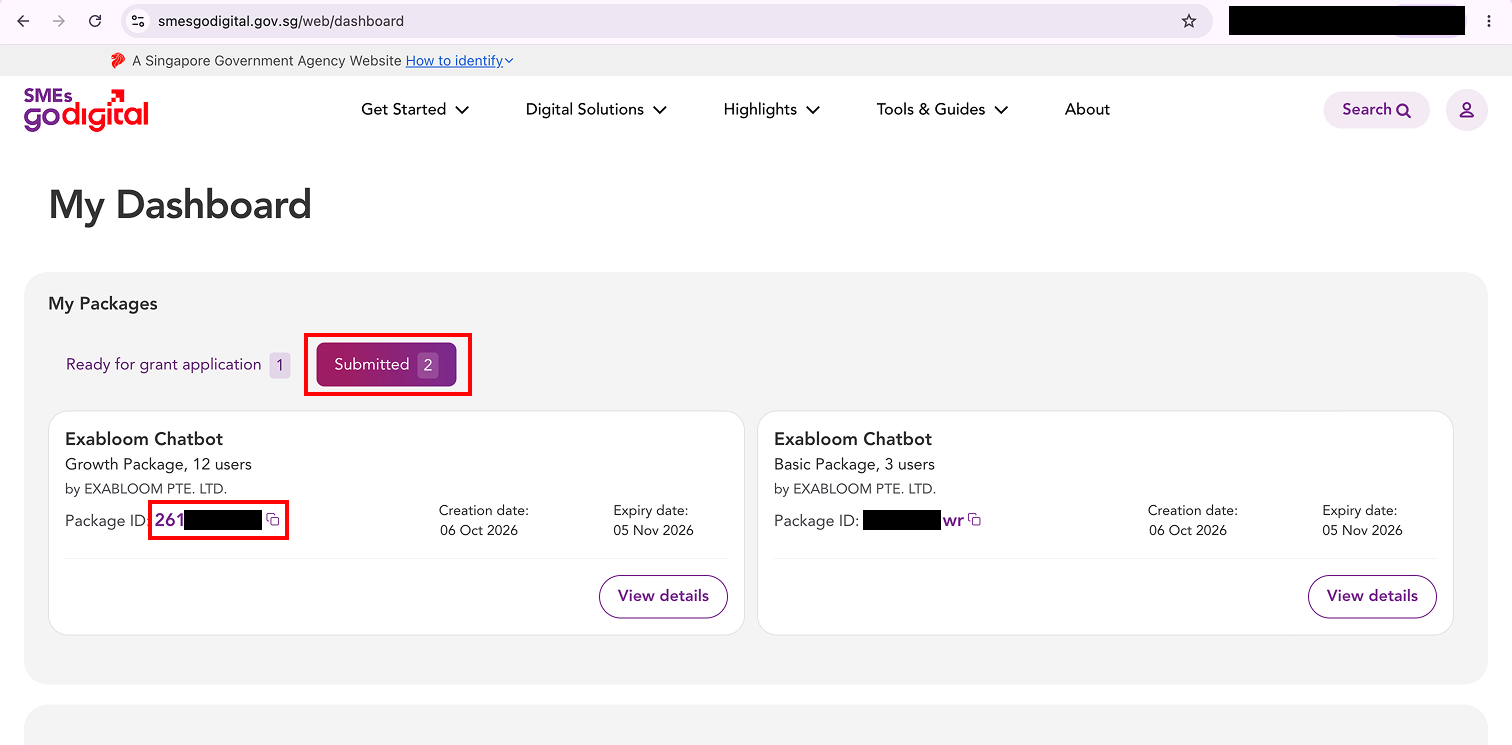
- On your SMEs Go Digital dashboard. Go to My Dashboard and look under My Packages. Packages you have not applied with yet are under Ready for grant application; packages you have already used are under Submitted.
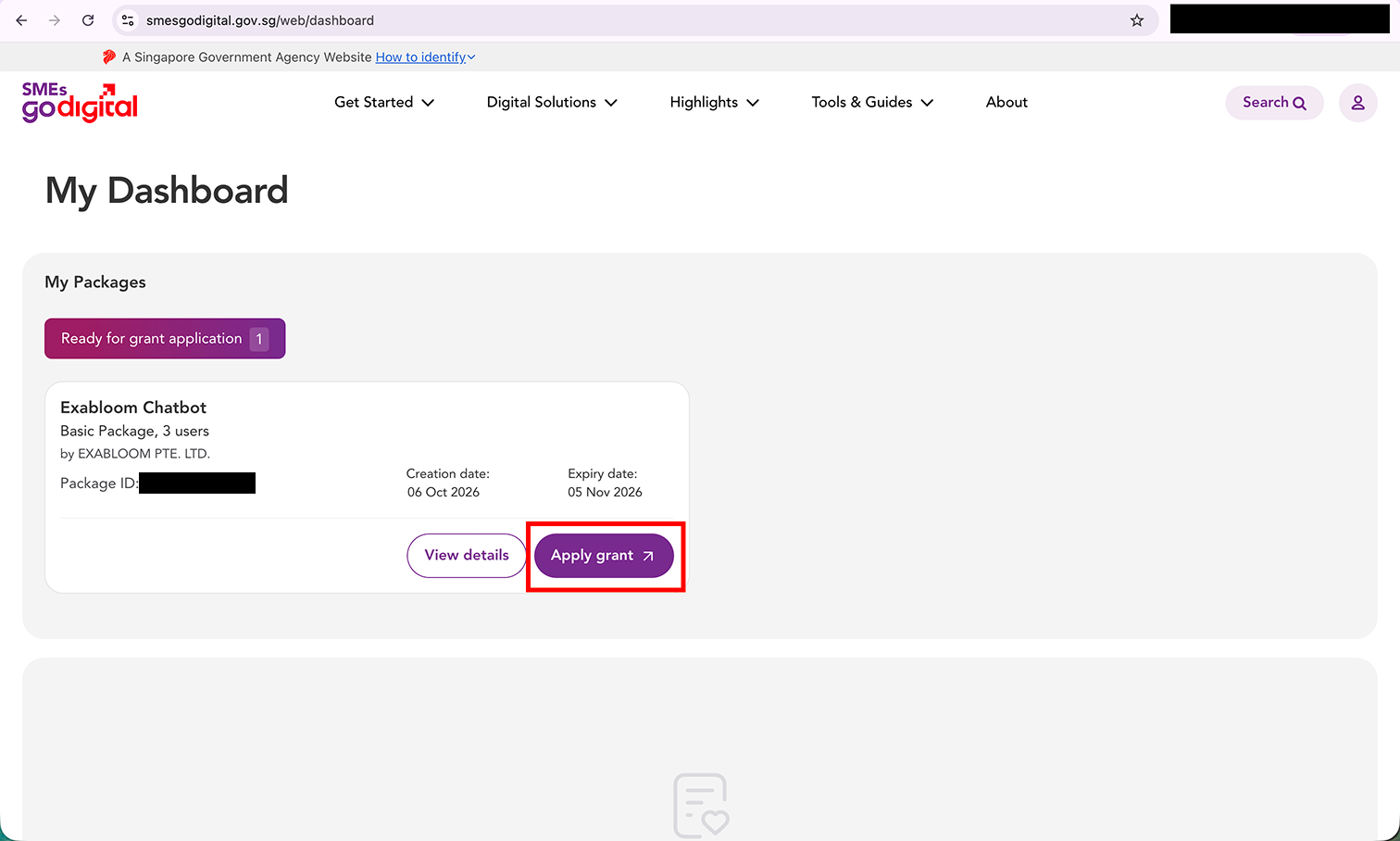
Step 7: On My Dashboard, find your Exabloom Chatbot package and click "Apply grant".
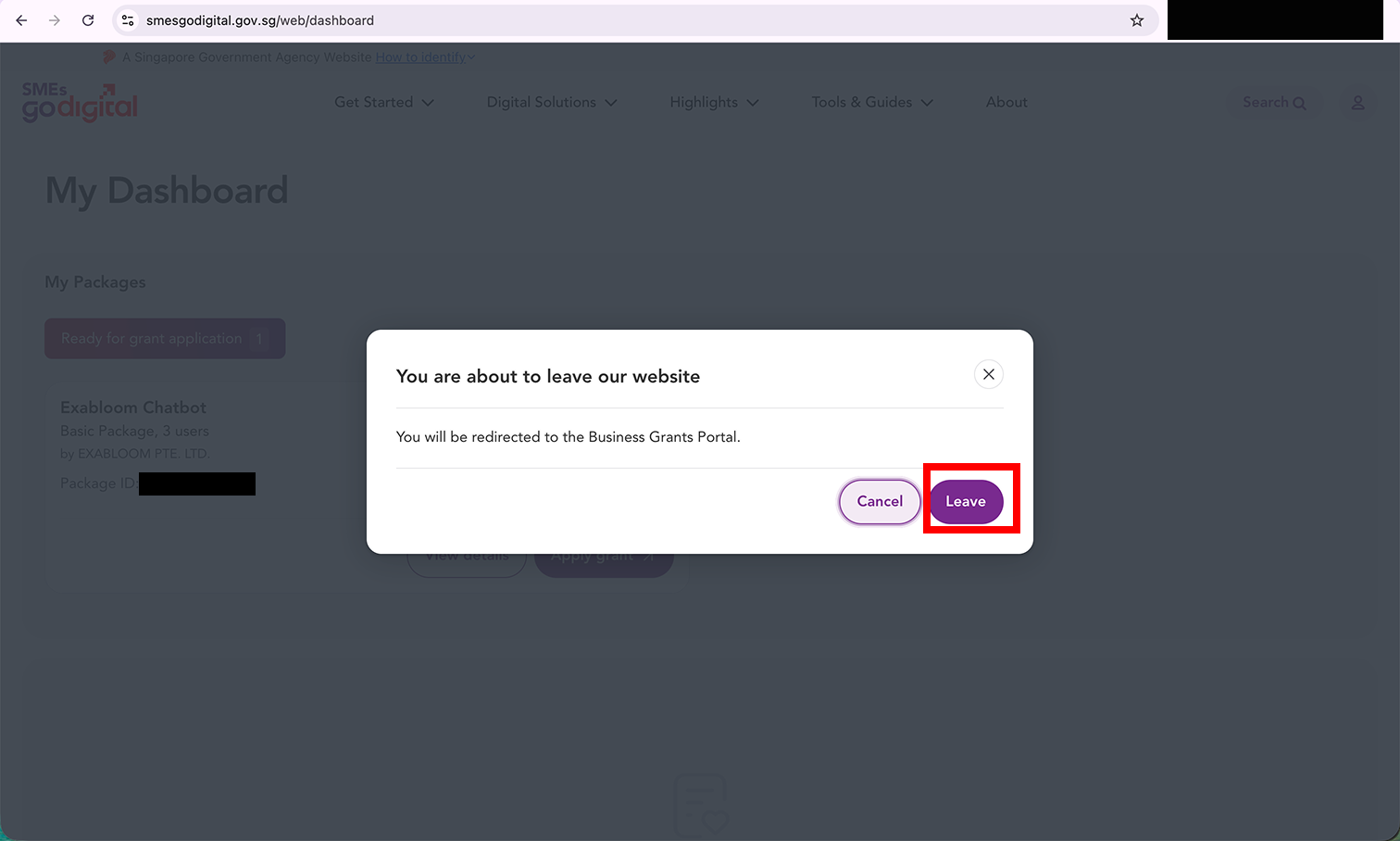
Step 8: A pop-up says you will be redirected to the Business Grants Portal. Click "Leave".
Part 2: Apply on the Business Grants Portal
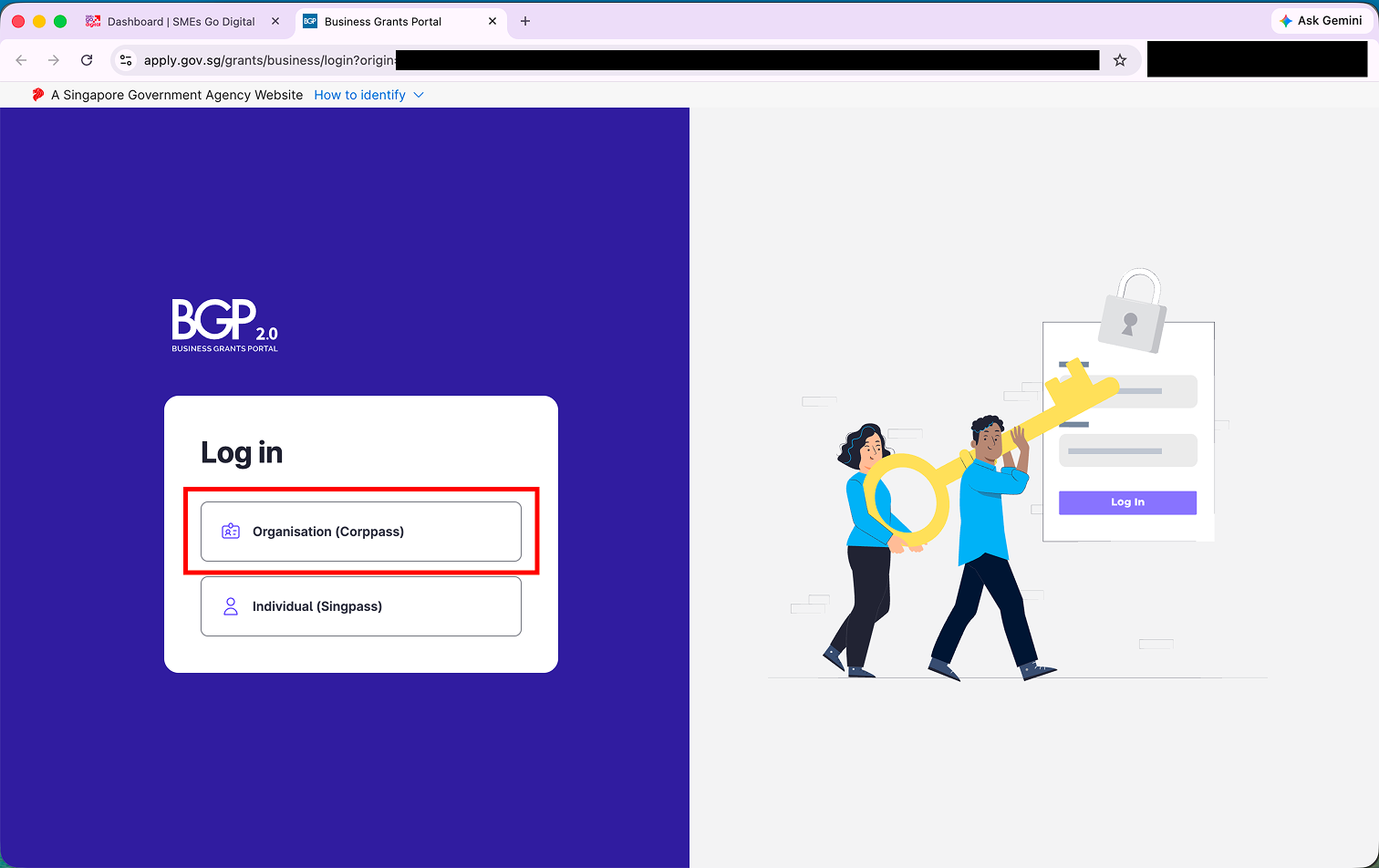
Step 9: On the Business Grants Portal login page, click "Organisation (Corppass)" and log in.
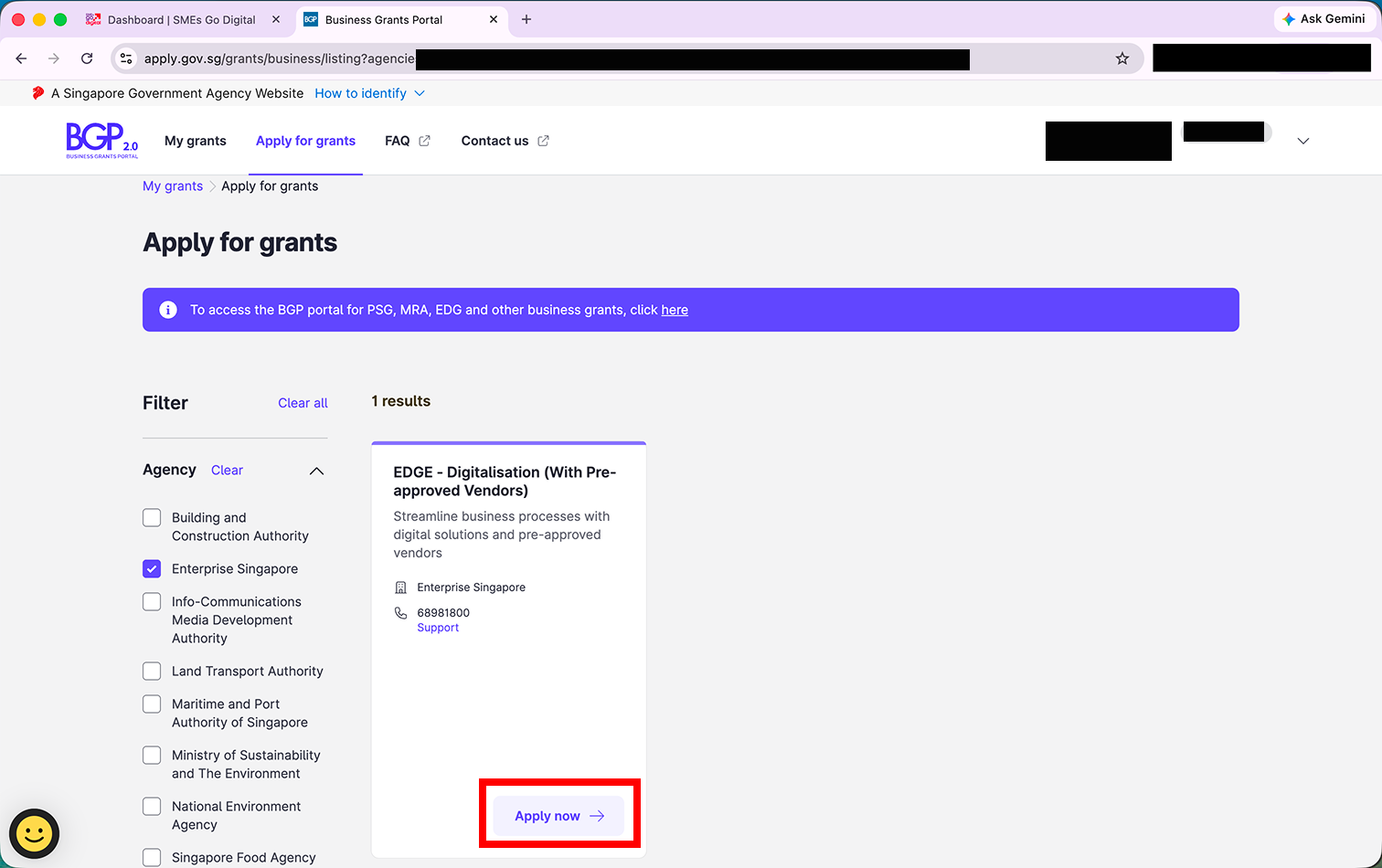
Step 10: Under Apply for grants, find "EDGE - Digitalisation (With Pre-approved Vendors)" and click "Apply now".
If you do not see it, tick Enterprise Singapore under Agency in the filter on the left.
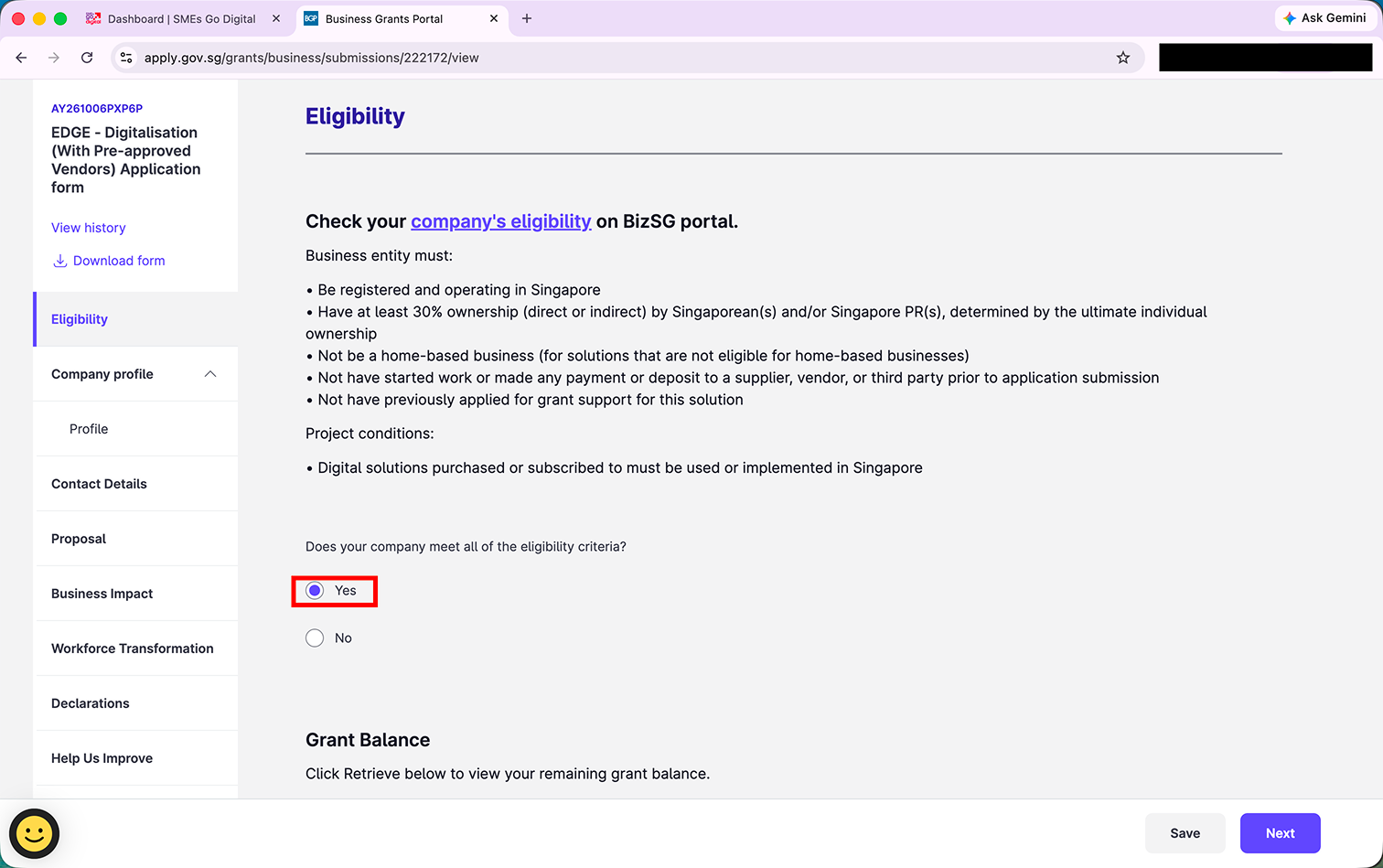
Eligibility
Step 11: Read through the eligibility criteria. If your company meets all of them, select "Yes" and click "Next".
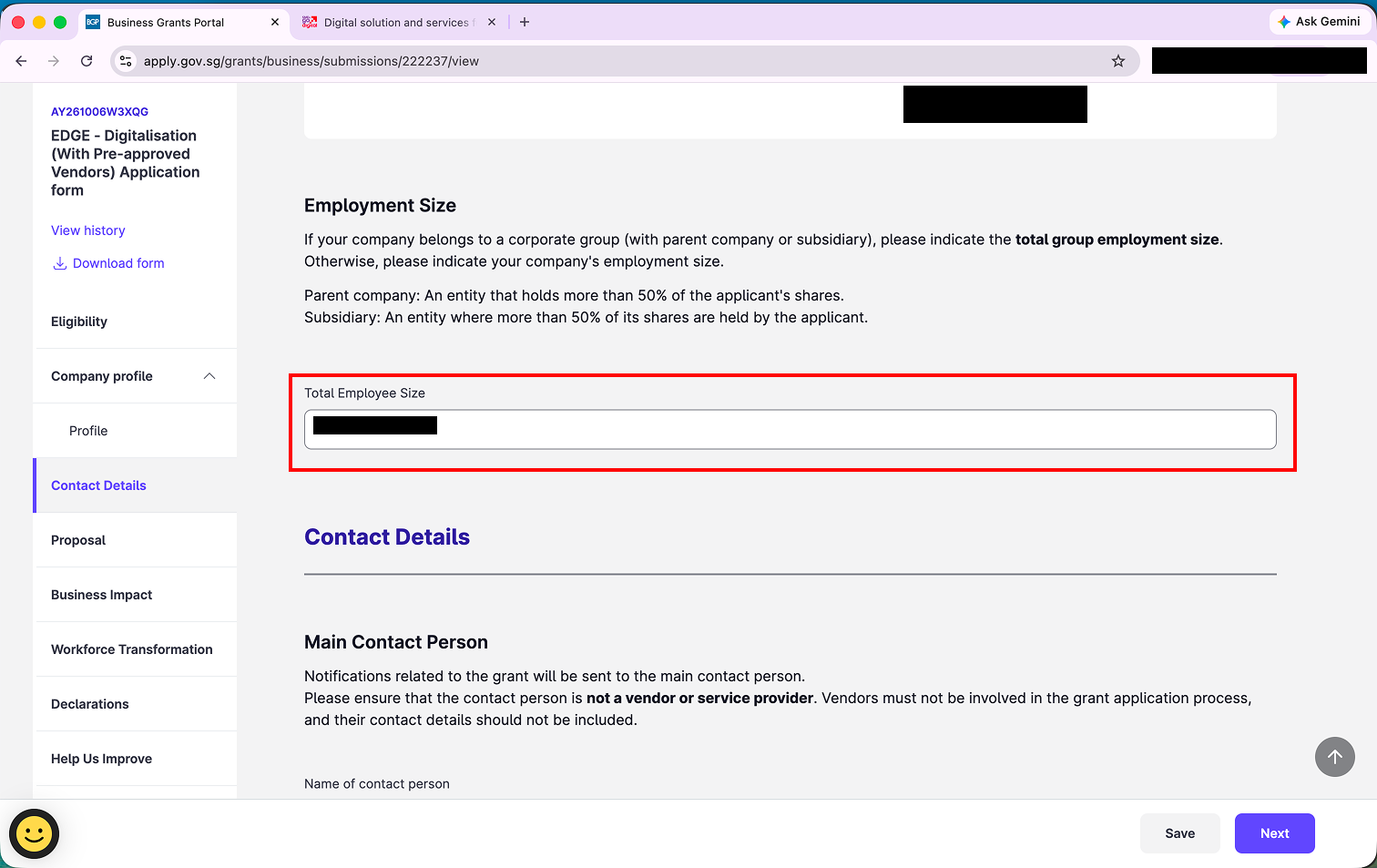
Company profile
Step 12: Most of your company profile is filled in for you. Under Employment Size, enter your Total Employee Size. If your company is part of a corporate group (with a parent company or subsidiary), enter the total group employment size.
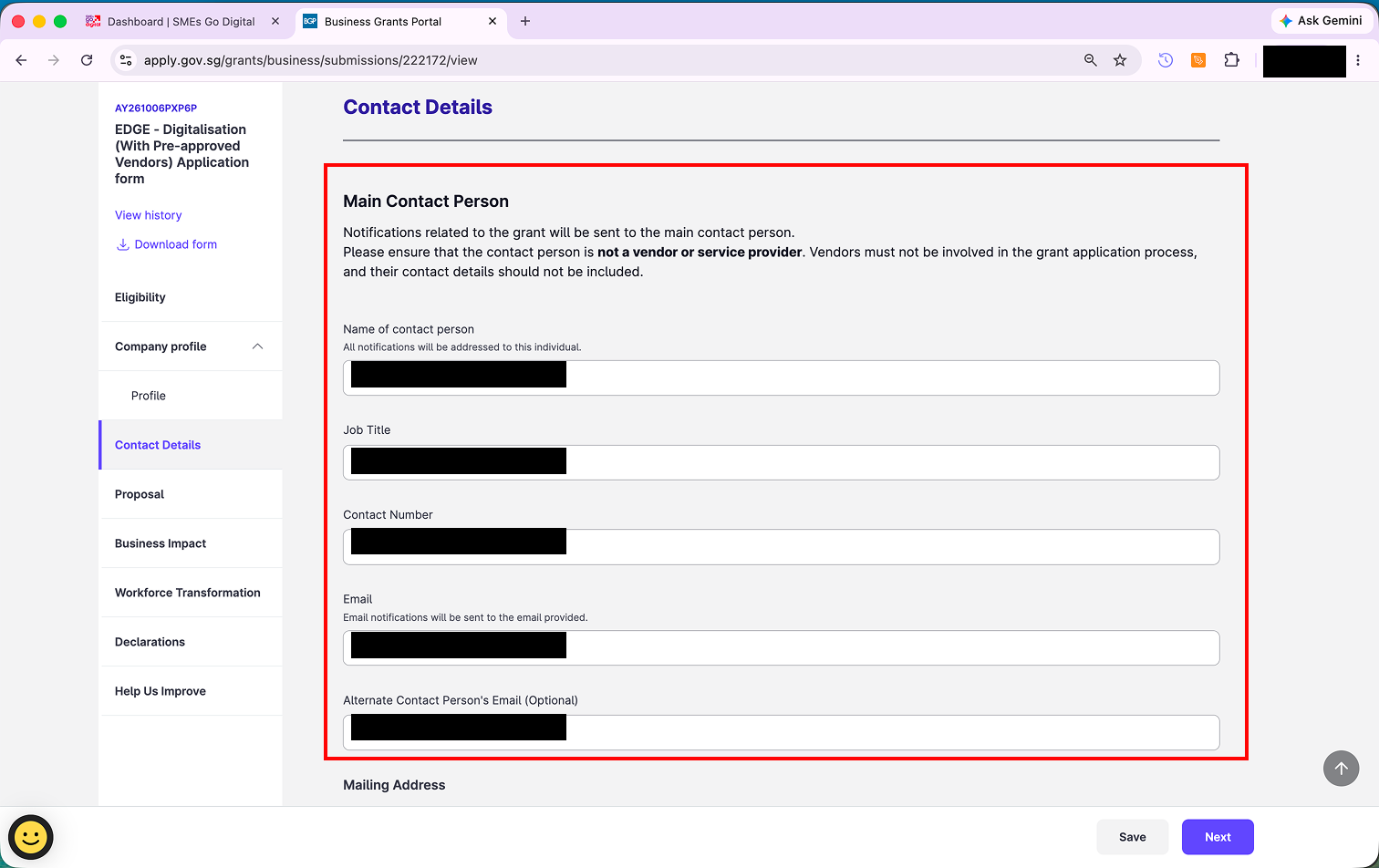
Contact details
Step 13: Fill in the Main Contact Person. All grant notifications are sent to this person.
The main contact person must be someone from your company, not from Exabloom. Vendors are not allowed to be involved in the grant application, so do not put an Exabloom team member's name or email here.
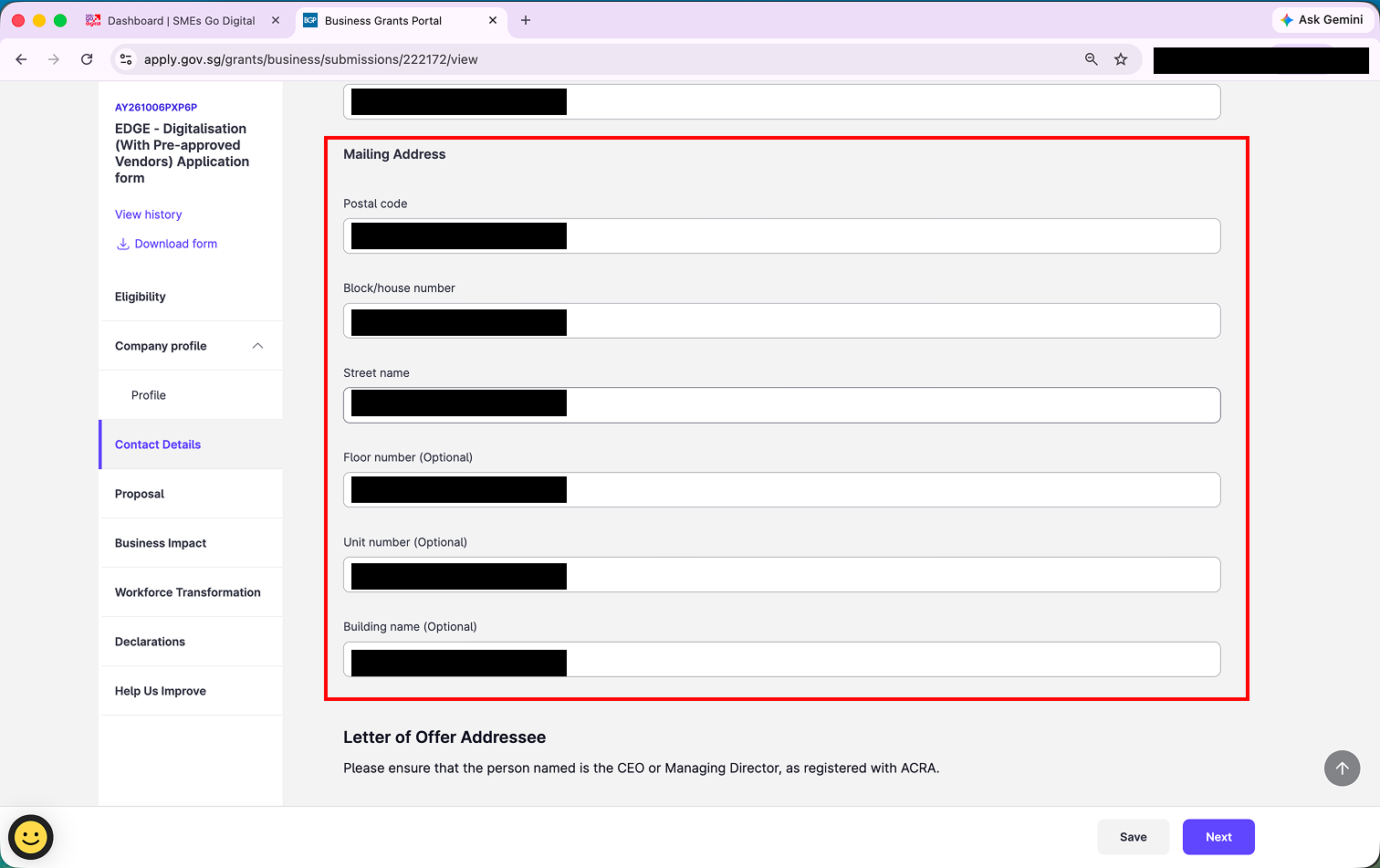
Step 14: Fill in your Mailing Address.
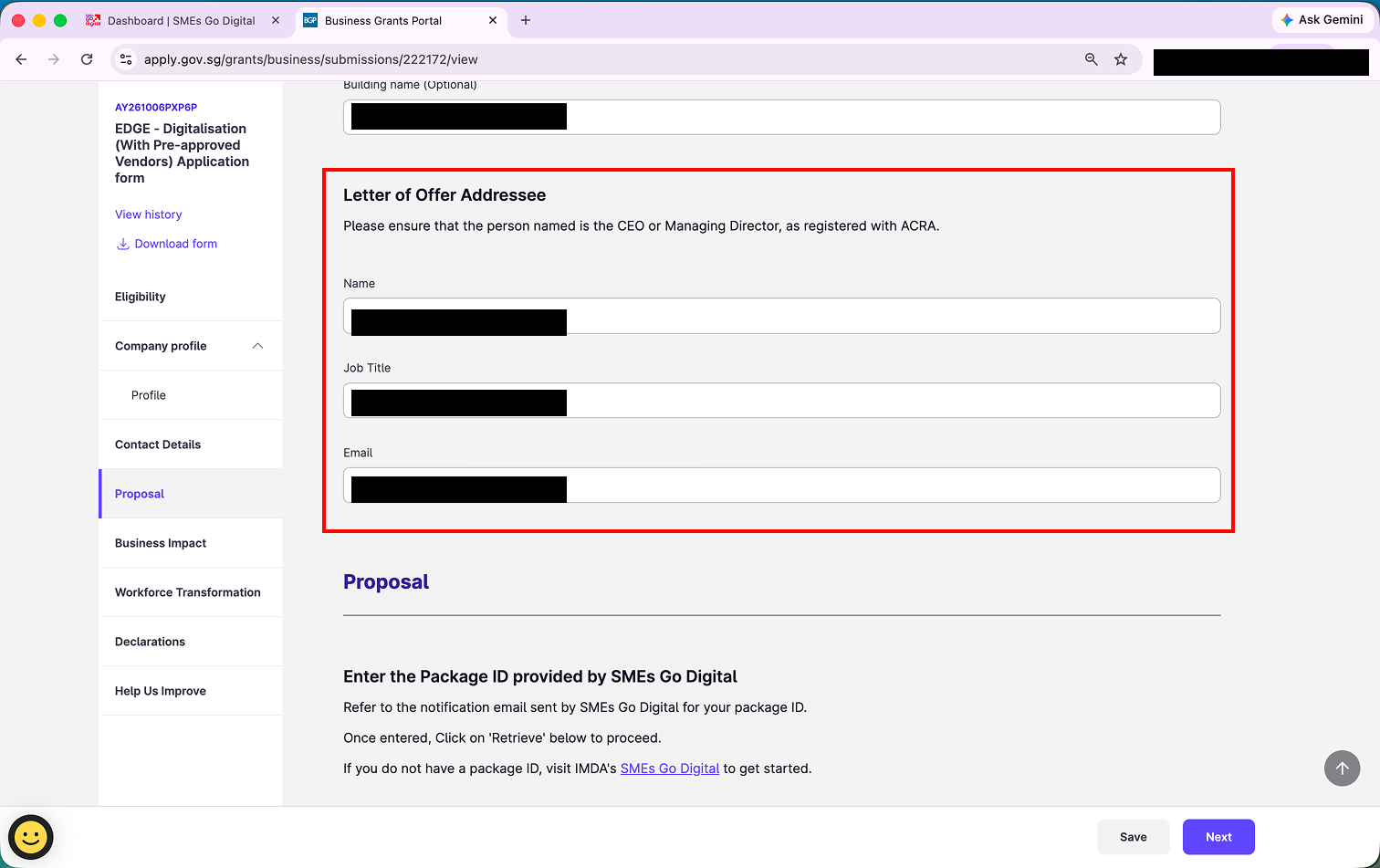
Step 15: Fill in the Letter of Offer Addressee. This must be your CEO or Managing Director, as registered with ACRA.
Proposal
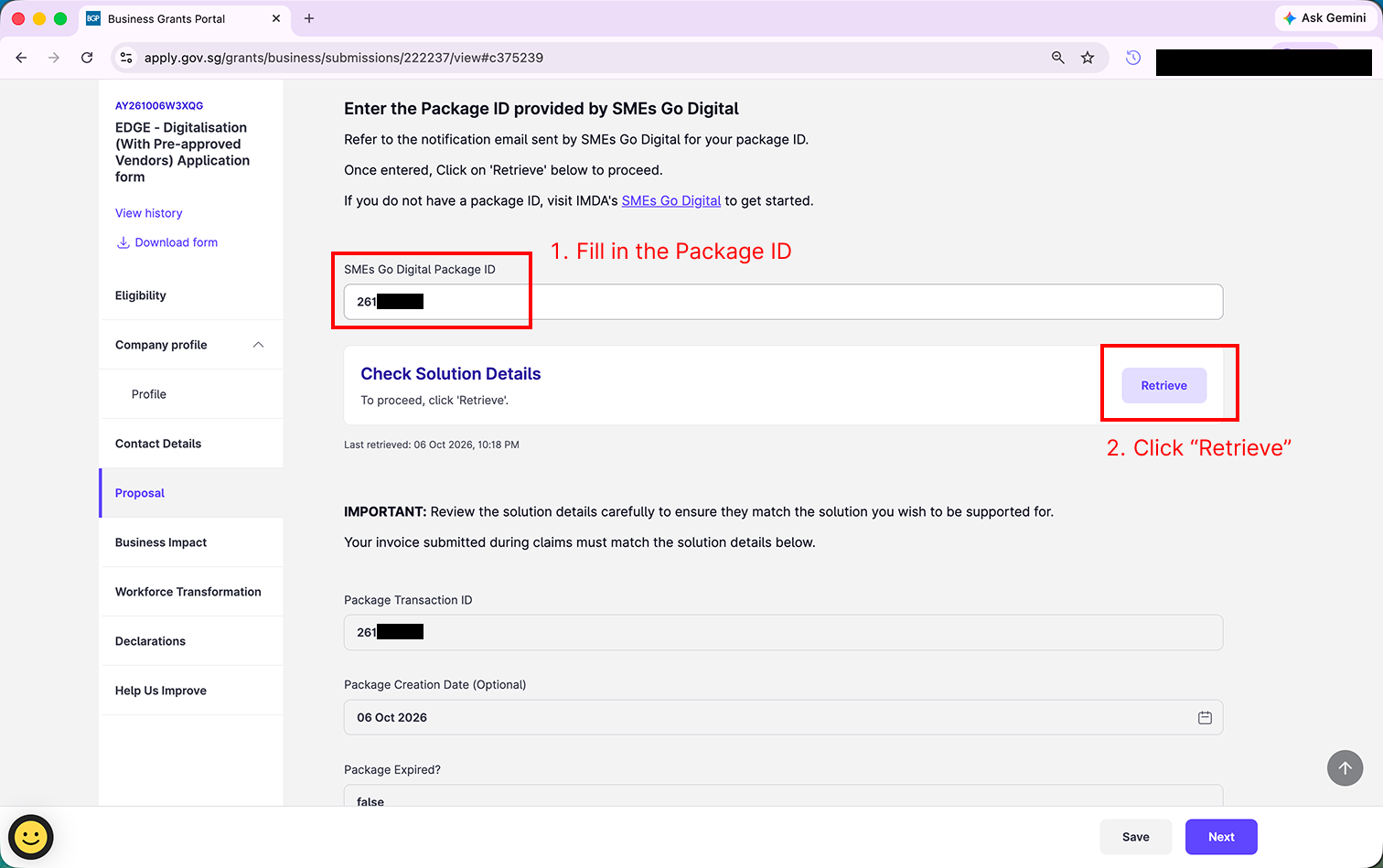
Step 16: Enter your SMEs Go Digital Package ID from Part 1, then click "Retrieve". The solution details fill in automatically.
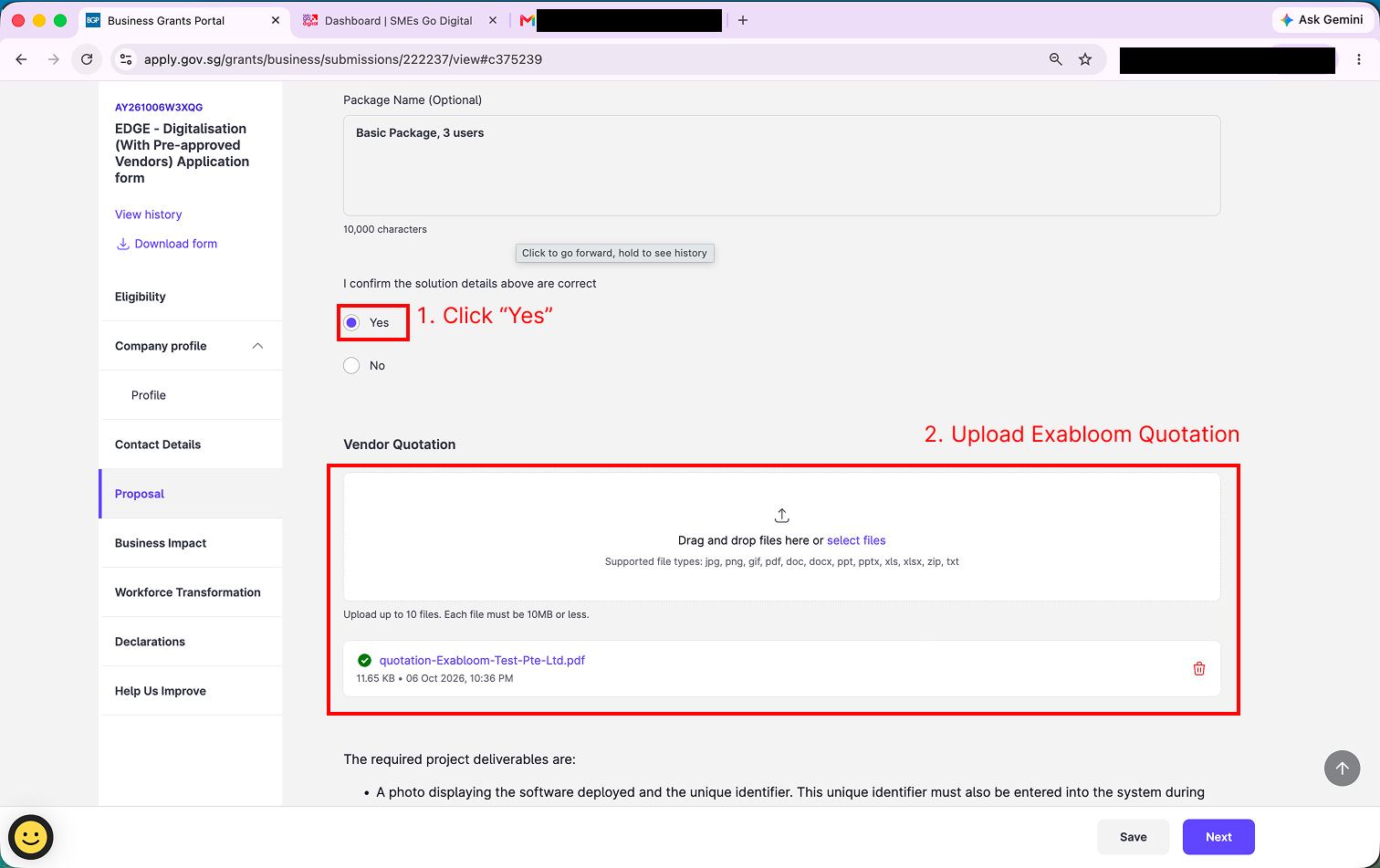
Step 17: Check that the retrieved details match your Exabloom quotation (for example, the Package Name). If they do, select "Yes" for "I confirm the solution details above are correct". Then upload your Exabloom quotation under Vendor Quotation.
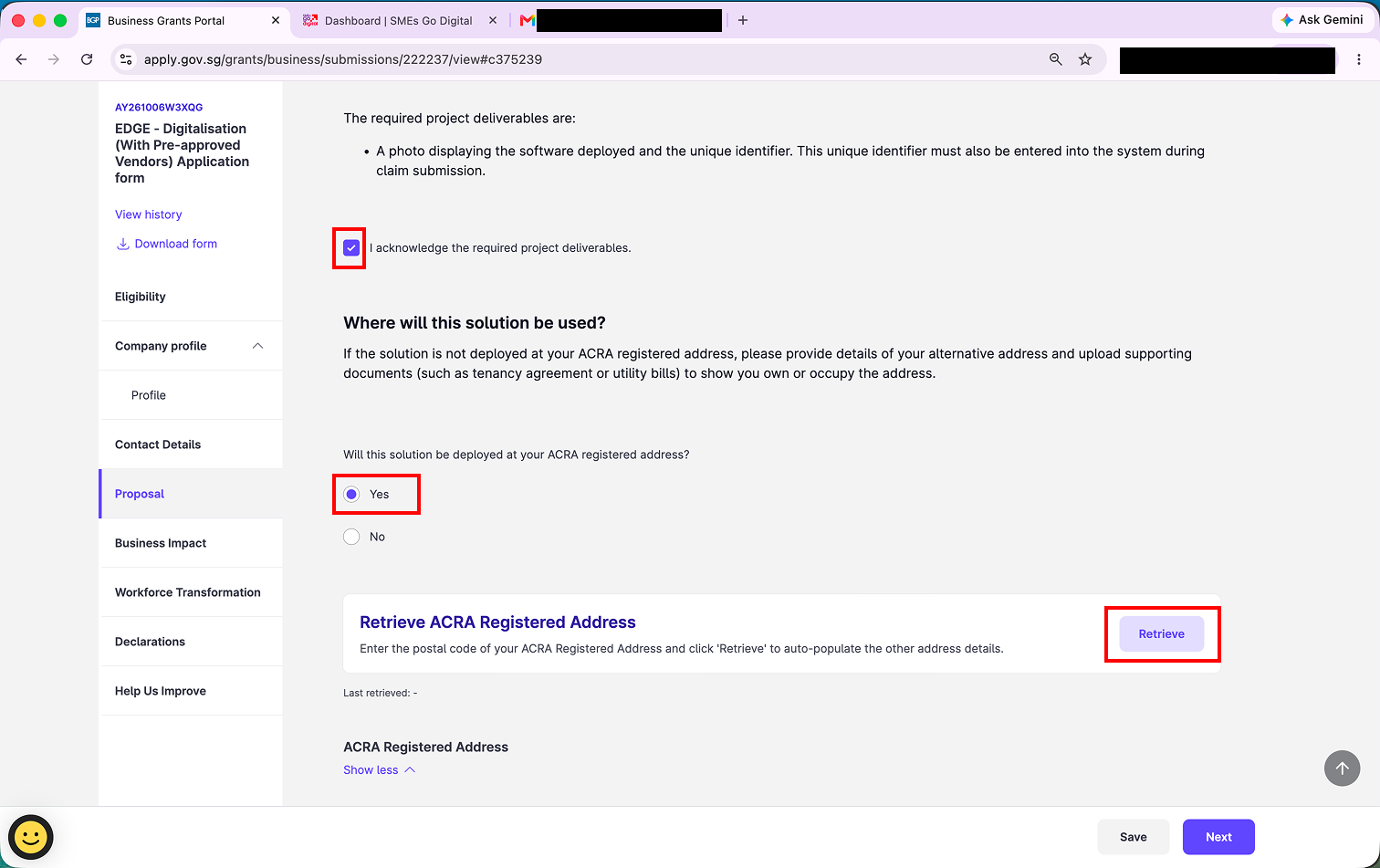
Step 18: Tick "I acknowledge the required project deliverables".
Under Where will this solution be used?, select "Yes" if you will use Exabloom at your ACRA registered address, then click "Retrieve" to fill in the address automatically.
If you will use it at a different address, select "No" and provide that address, along with a supporting document such as a tenancy agreement or utility bill.
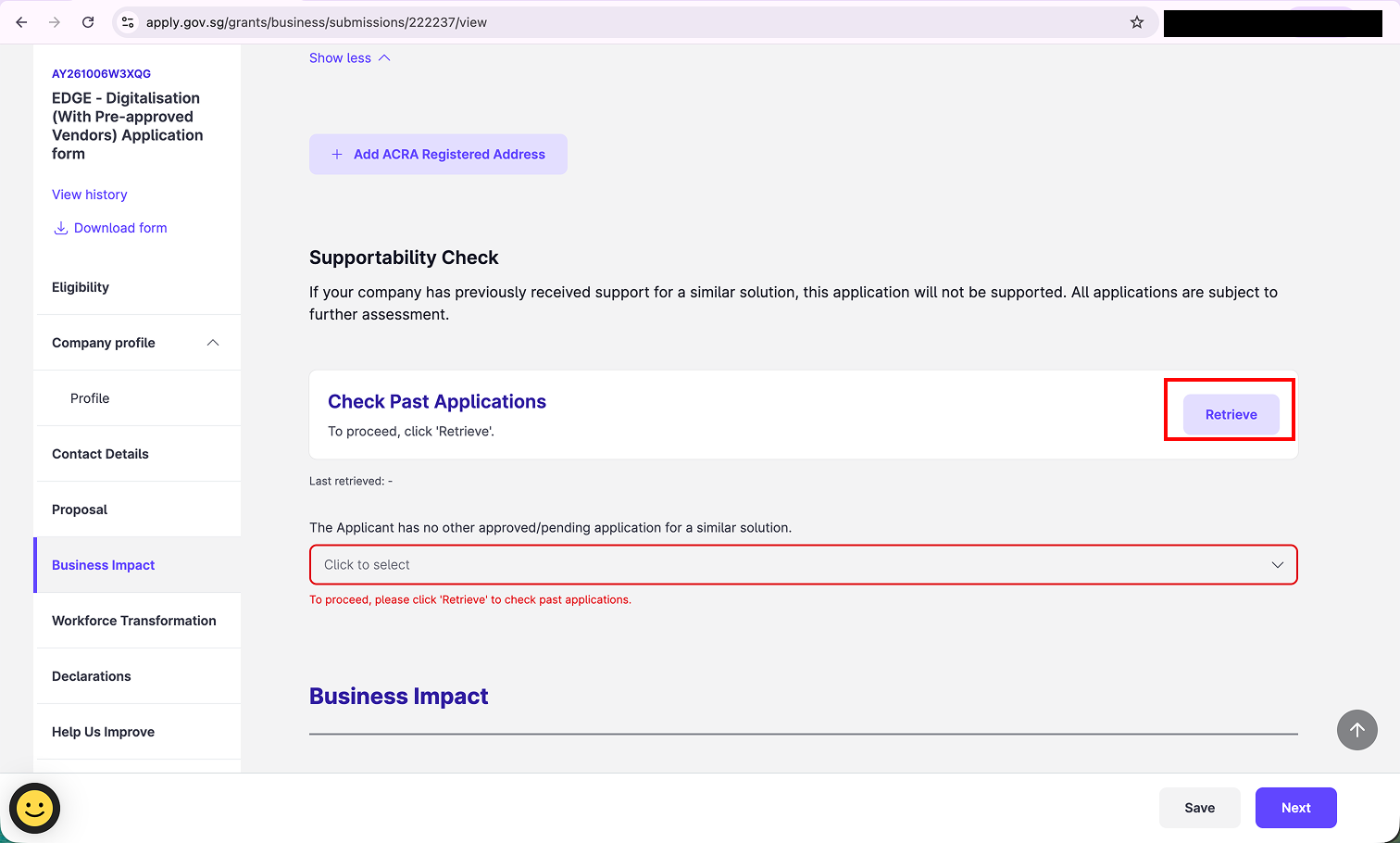
Step 19: Under Supportability Check, click "Retrieve" next to Check Past Applications. You cannot continue until you do.
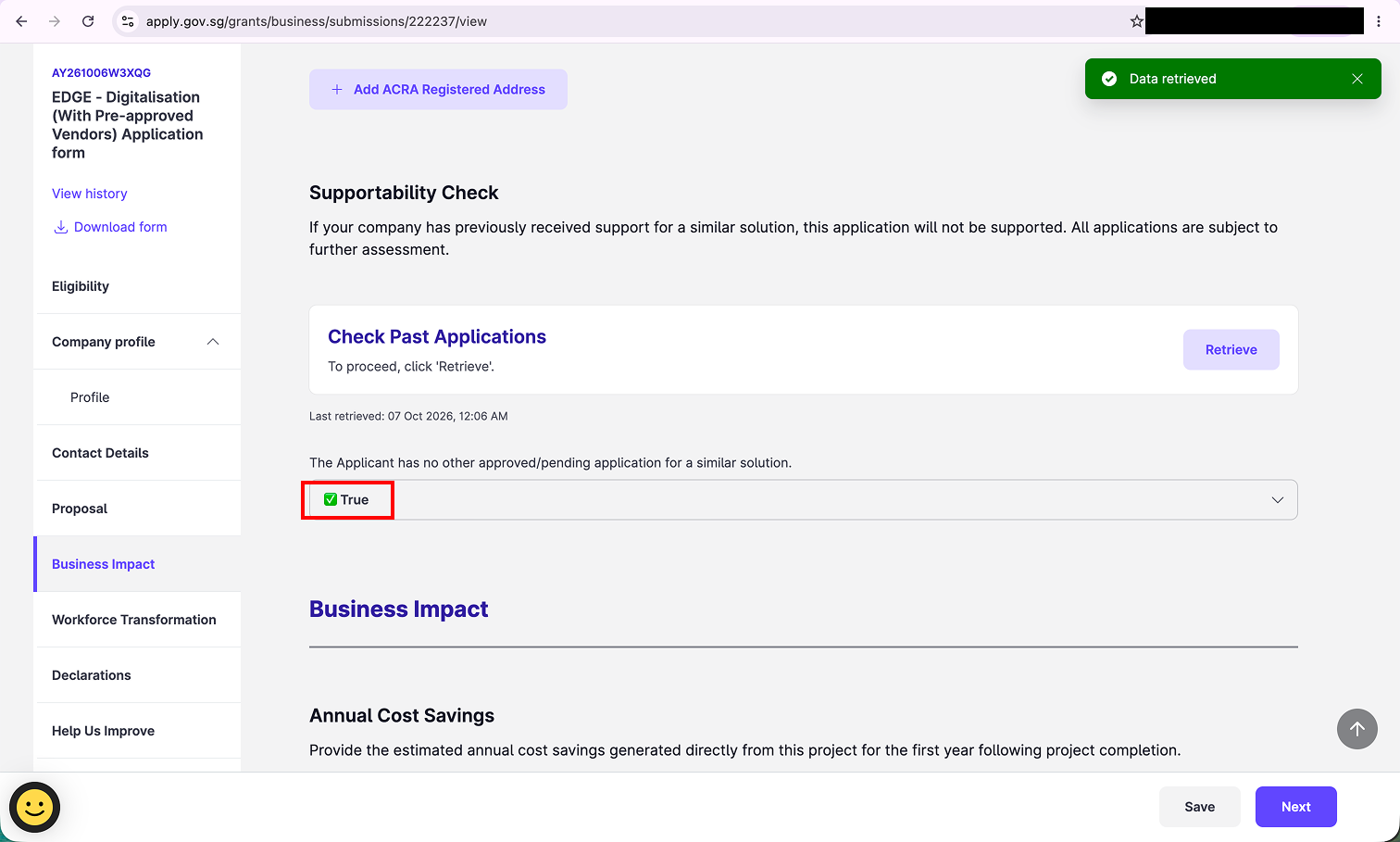
Once retrieved, the field below should show "True", meaning your company has no other approved or pending application for a similar solution.
Business impact
Step 20: Fill in the two Business Impact fields.
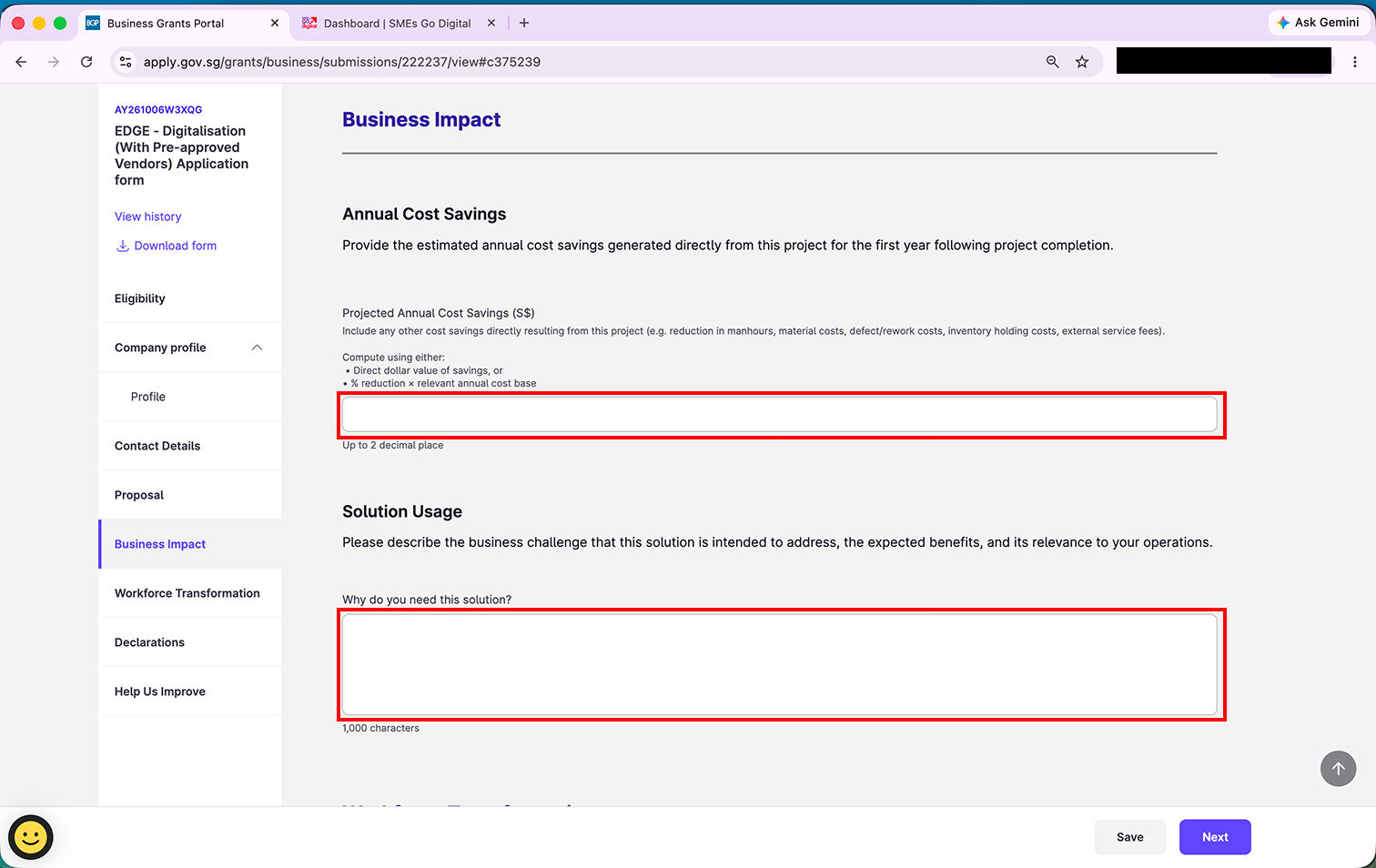
Projected Annual Cost Savings (S$) - your estimated savings in the first year after the project is completed. Use your own numbers. A simple way to work it out is hours saved x hourly staff cost. For example, if 2 staff each save 5 hours a week on manual follow-ups and their time costs S$20 an hour, that is 2 x 5 x 52 x S$20 = S$10,400 a year.
Why do you need this solution? (up to 1,000 characters) - describe the business challenge, the expected benefits, and why it matters to your operations. You can pick from these and adapt them to your business:
- Automate and streamline communication workflows to engage leads and customers efficiently without manual follow-up.
- Reduce time spent on repetitive administrative tasks such as lead qualification, appointment scheduling, and re-engaging past customers.
- Centralise all customer interactions and engagement history in a single dashboard for easy access and tracking.
- Manage client communication remotely through a cloud-based chatbot platform, ideal for flexible or remote work.
- Generate reports on lead engagement and campaign performance without manually compiling data across multiple systems.
Workforce transformation
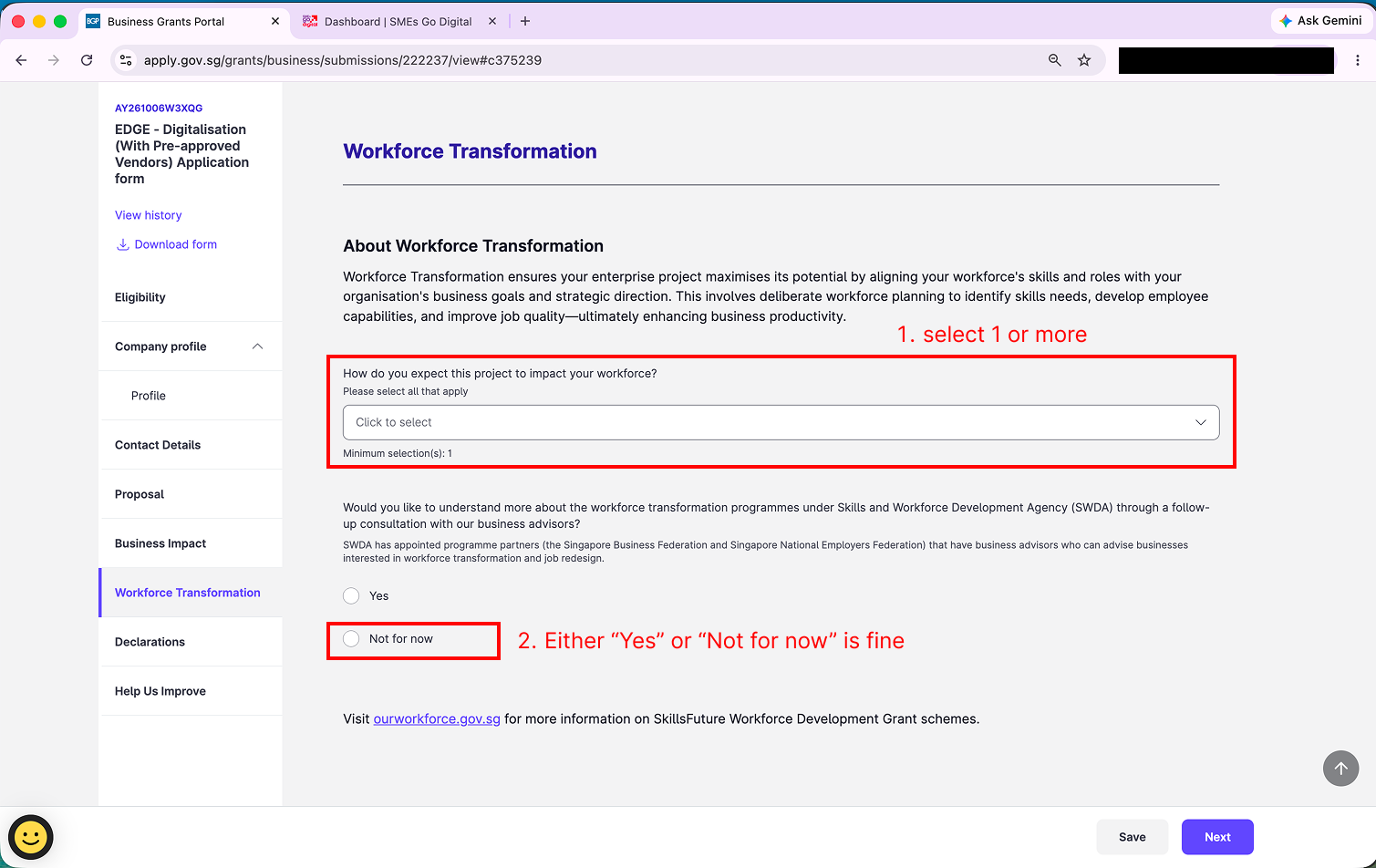
Step 21: Under How do you expect this project to impact your workforce?, select one or more options that apply to you.
For the question about a follow-up consultation with the Skills and Workforce Development Agency (SWDA), either "Yes" or "Not for now" is fine. It does not affect your application.
Declarations
Step 22: Read each of the eight Disclosure Statements carefully and answer them accurately for your company. For most businesses applying for Exabloom, the answer to all eight is "No".
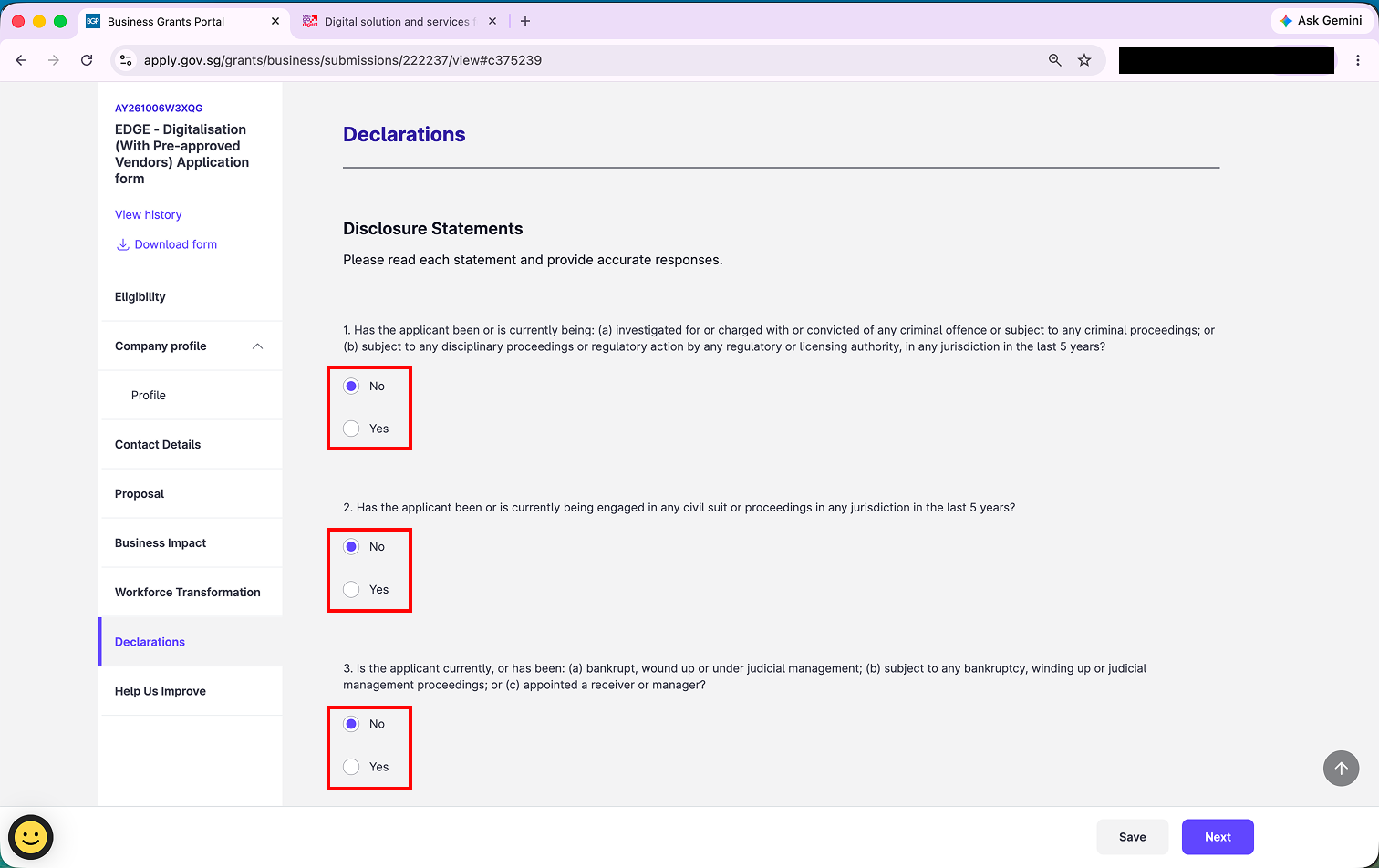
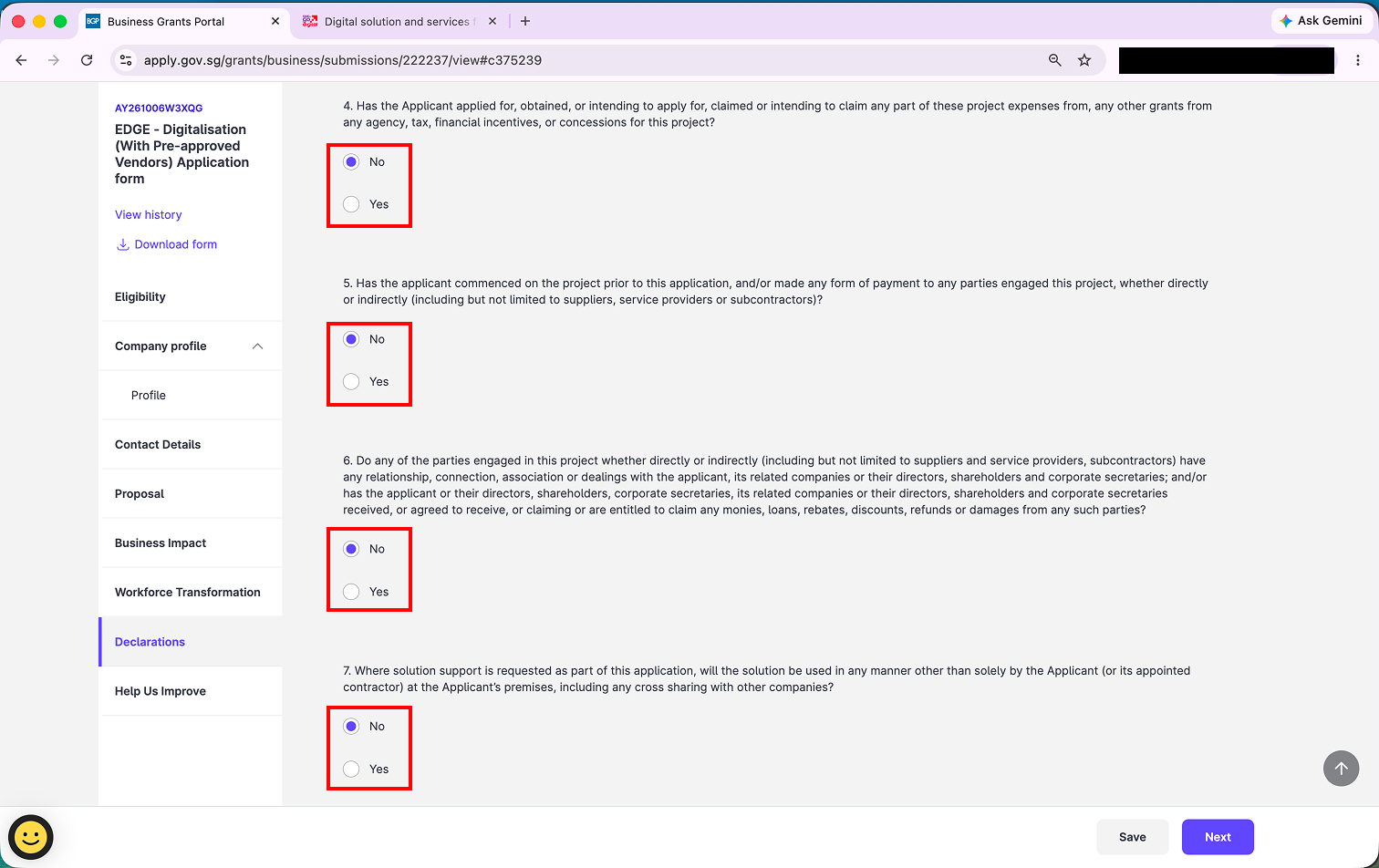
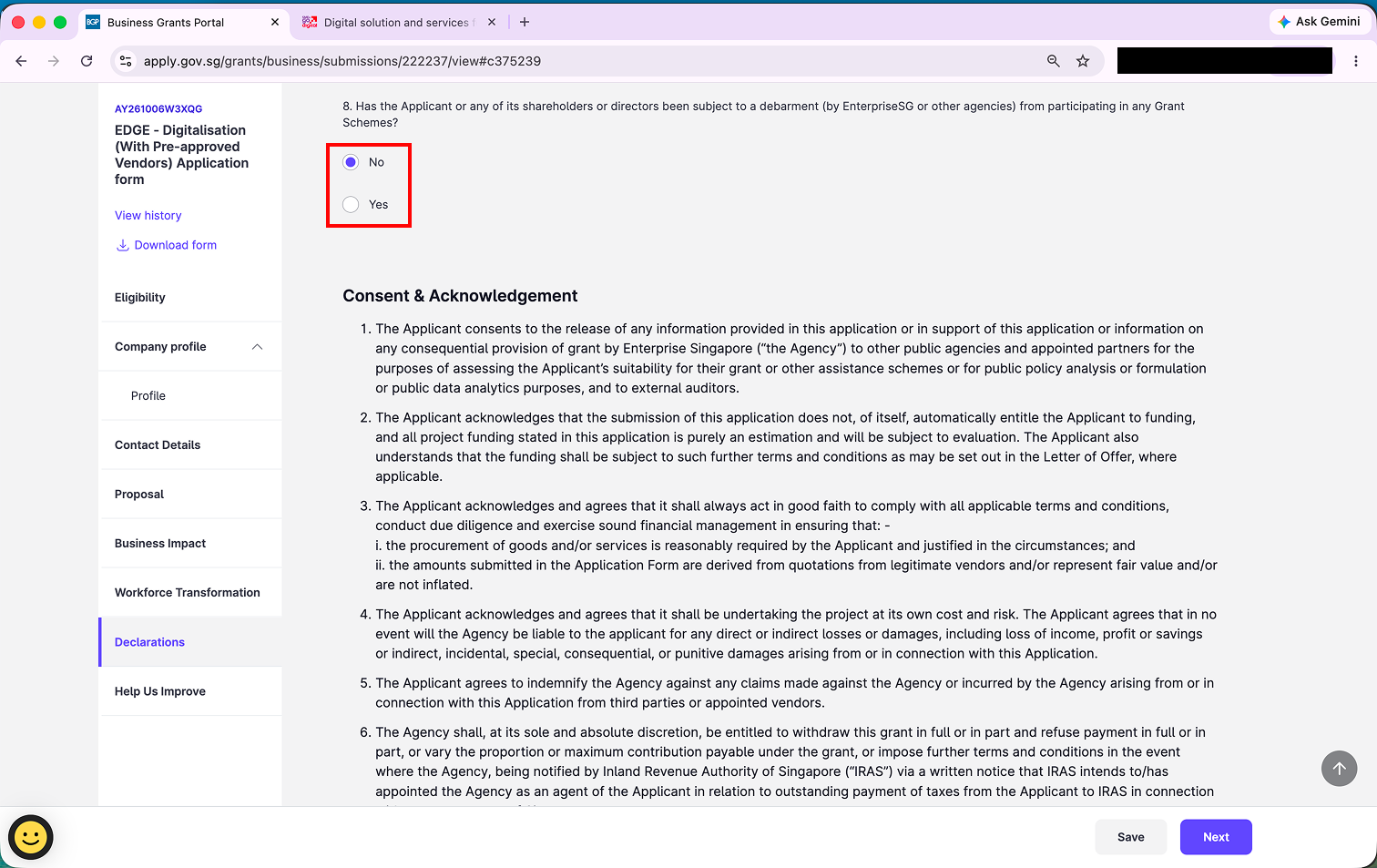
Step 23: Scroll to the end of Consent & Acknowledgement and tick both boxes.
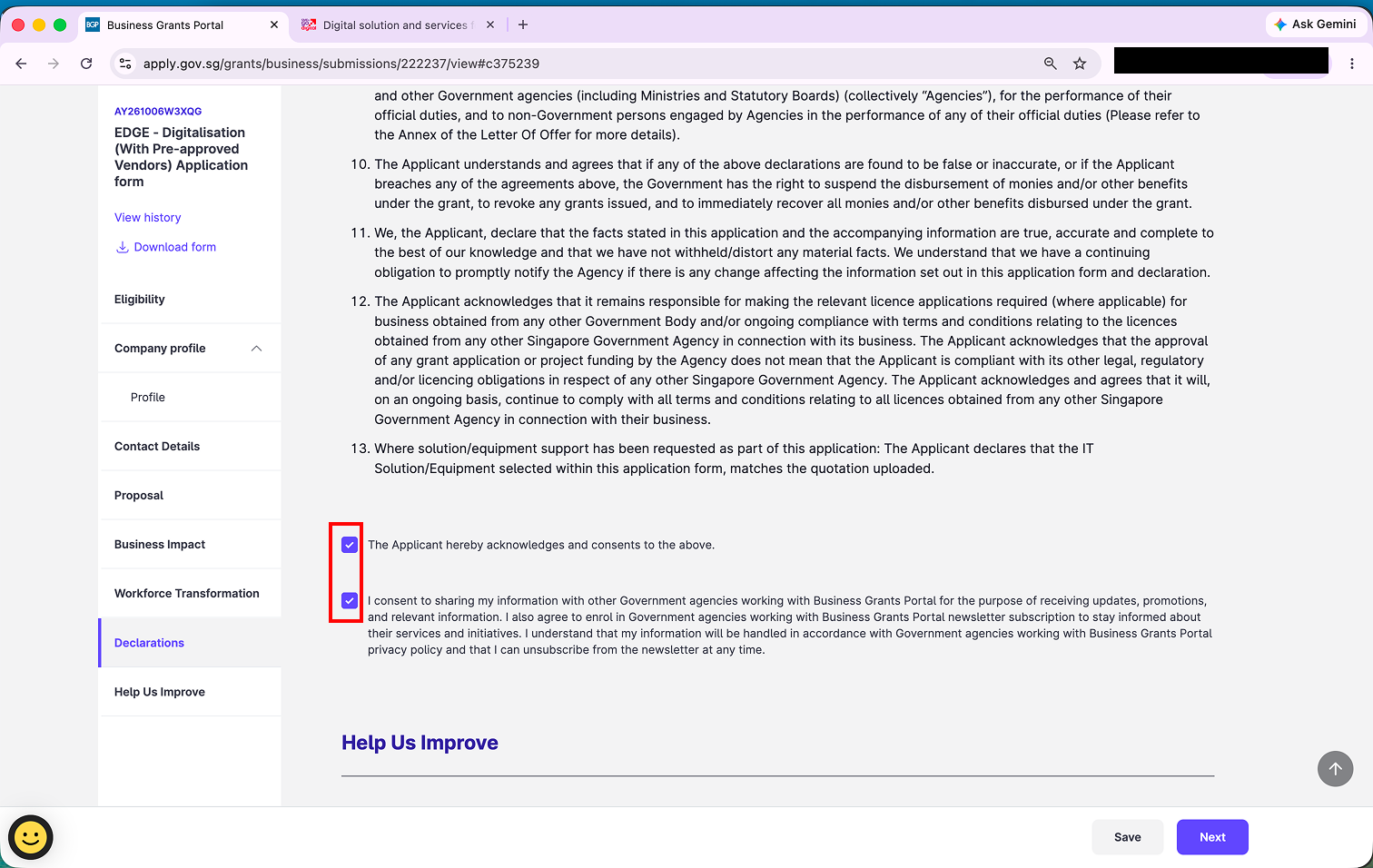
Help us improve
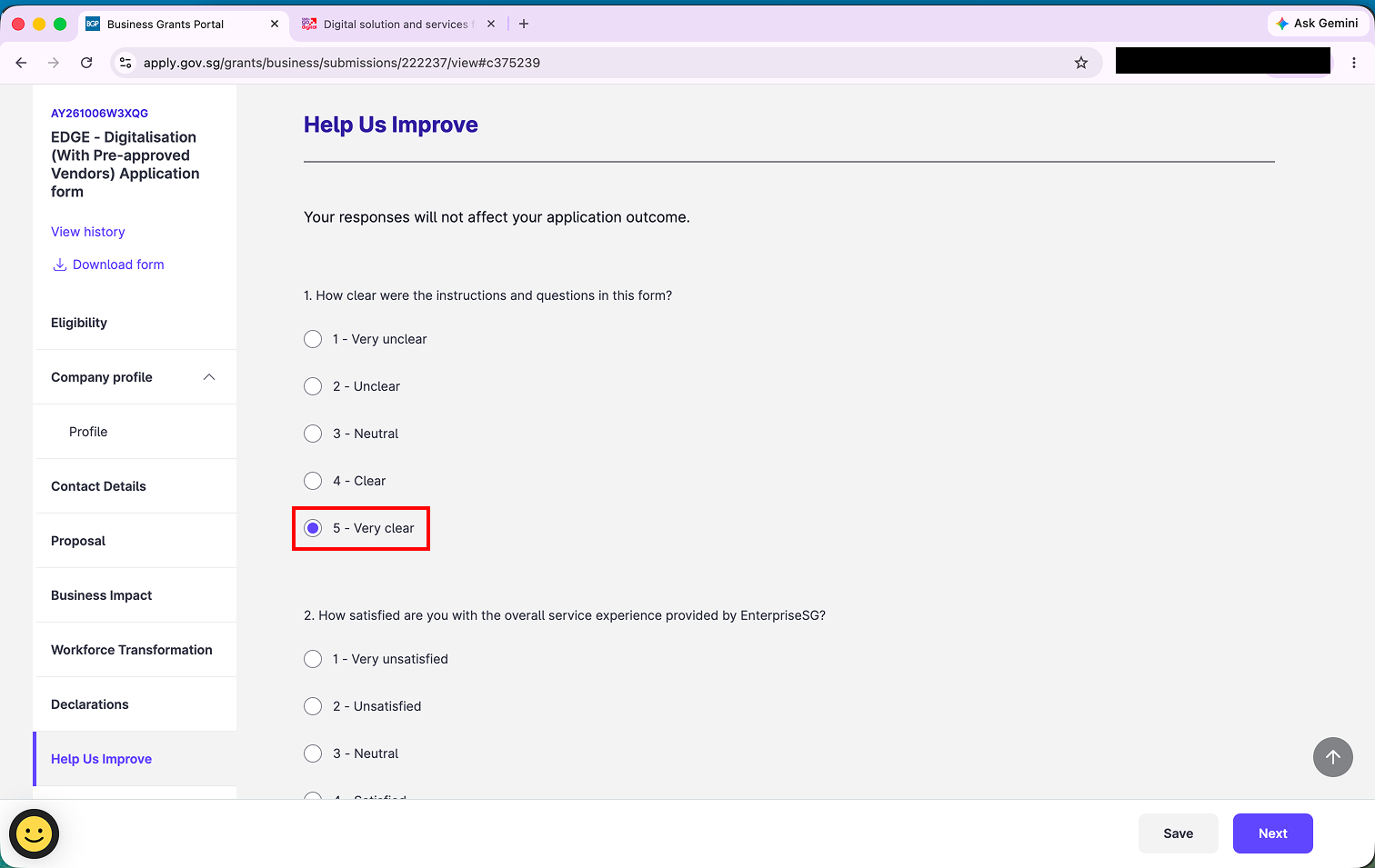
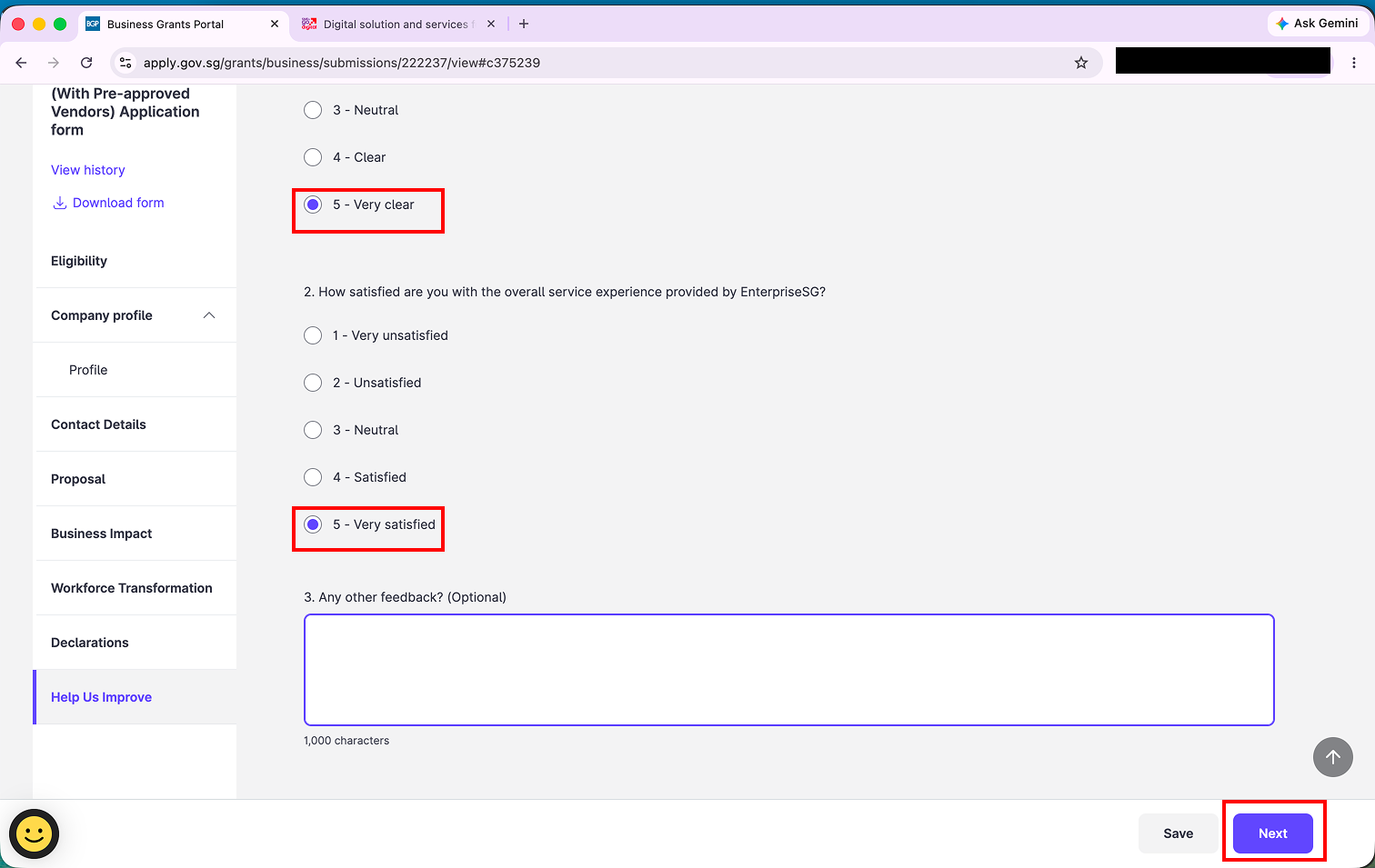
Step 24: Answer the two short feedback questions. Your responses do not affect your application outcome. Click "Next".
Submit
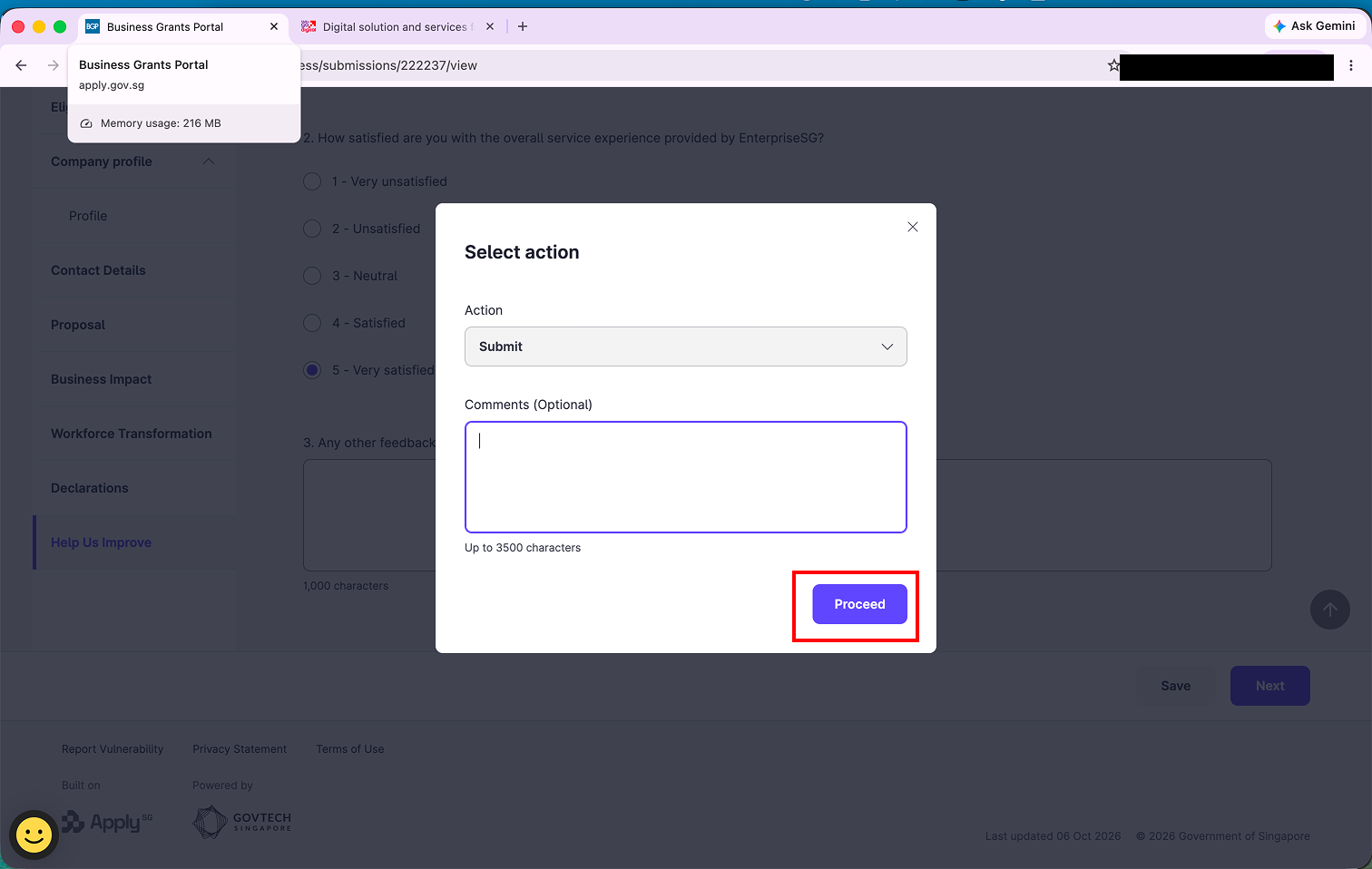
Step 25: In the Select action pop-up, make sure Action is set to "Submit", then click "Proceed".
That's it - your EDGE application is submitted. Notifications about your application go to the main contact person you entered in Step 13, and you can check its status anytime under My grants on the Business Grants Portal.
If you have questions about the application form itself, contact Enterprise Singapore at 6898 1800 (the support number listed on the grant). For questions about your quotation or package, reach out to your Exabloom sales representative.